
Today’s Post by Joe Farace
Editorial Note: So far, I have resisted buying into Adobe’s subscription service for Photoshop but I recognize that active pros need to have the latest tools. All the Photoshop tips and tools you see on this blog were made using Photoshop CS6. For an interesting perspective on this choice, please read the last paragraph on this post that recounts my experience talking with a respected and successful travel photographer about the imaging software he uses.
 Proving that you can, in fact, change your tune, Paul Simon altered the lyrics of his 1973 hit song Kodachrome from the original “…everything looks worse in black and white.” When he performed the song at a concert in Central Park on August 15, 1991 he sang that “everything looked “better.”
There are lots of ways to create monochrome digital images but the easiest way to create a black and white digital image is in camera at the time of capture. Most DSLRs and mirrorless cameras have built-in monochrome options and some even have modes that enhance gray tones while making the rest of the colors look less vibrant creating an old-fashioned even hand-colored look. Worried about losing that color original? Tip: Shoot in RAW+JPEG and you’ll simultaneously capture two files: A color RAW file along with a monochrome JPEG.
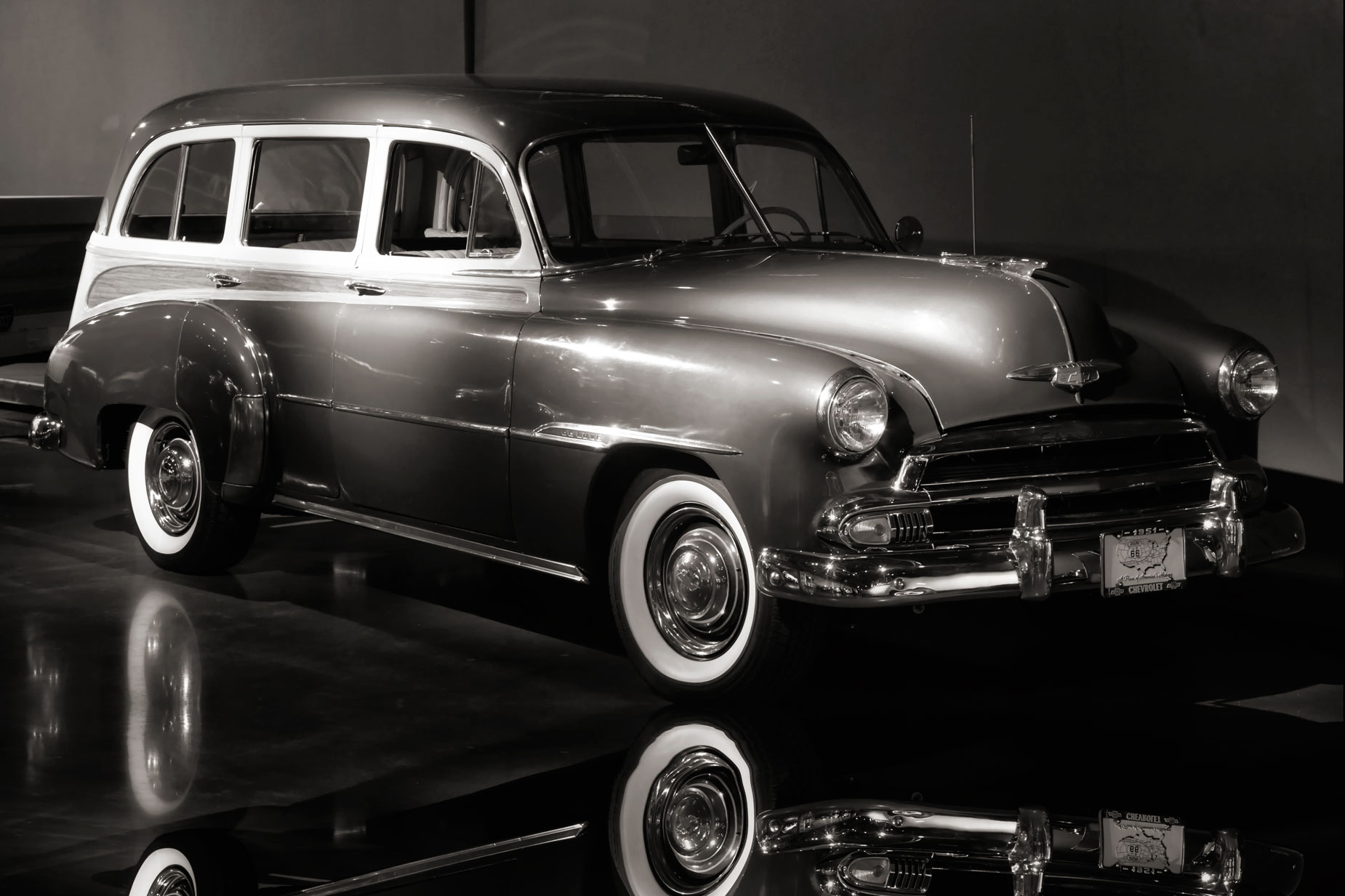
 The beautiful 1950 Chevrolet Woodie wagon that’s above right (please correct me if I have the wrong year) is located in the Vehicle Vault collection in Parker, Colorado. It was originally photographed as a color RAW file using a Nikon D780 with VR 24-120mm f/4G lens. Exposure was 1/30 sec at f/9 and ISO 8000. Noise? It was insignificant.
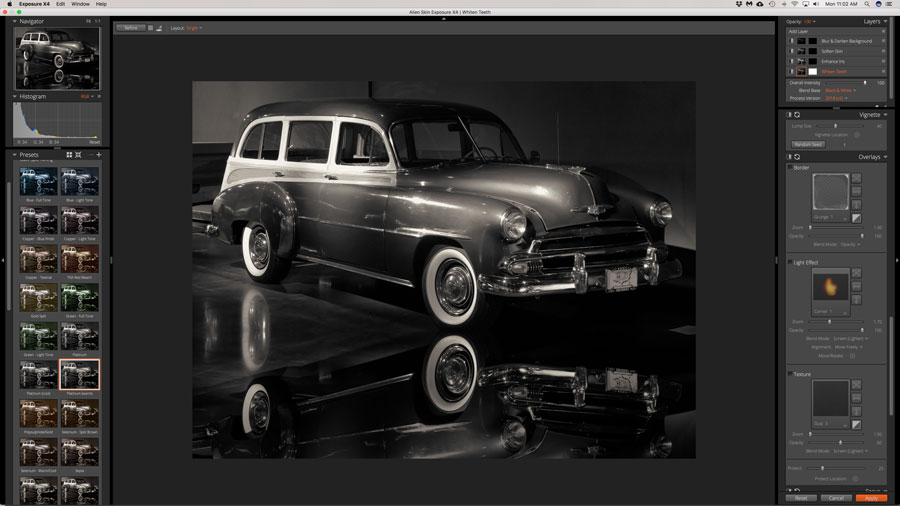
Before it was converted to monochrome, I increased the canvas size at the bottom of the frame and then applied the Flood filter from Flaming Pear Software. Next the image was cropped into 2:3 ratio using Photoshop’s crop tool and then converted to monochrome using Exposure Software’s Exposure X4. An explanation is needed here: For some reason, Exposure X5 will not currently run (correctly anyway) on my 5K iMac; I can’t install X6 probably for the same reason, so I have been happily using this old version since it seems to suit my workflow The final touch was adding the Glamour Glow filter from Color Efex Pro to add a little nostalgia, kicking up the glow warmth to further warm the image.
 If you enjoyed today’s blog post and would like to treat me to a cup of Earl Grey tea ($2.50), please click here. And if you do, thanks so much.
Along with photographer Barry Staver, I’m co-author of Better Available Light Digital Photography that’s available from Amazon prices with used copies selling at the giveaway price of around four bucks, as I write this. The Kindle version is extremely expensive for some reason.