
Today’s post could be considered another take on a previous post entitled Process or Not Process Infrared Files, although you could read it before or after today’s entry to get a fully rounded take on this subject,
Today’s Post by Joe Farace
“To me, infrared photography is not a special effect like some Instagram filter, it’s a different way of looking at photography and light and the world itself.” ―
 There are those photography gurus, pundits and experts who have strong opinions about certain subjects. This is certainly true when it comes to the topic of RAW file capture and especially about capturing RAW infrared images.
Let me get something out of the way first and although I’ve said it before I think it bears repeating, especially in this context: This is not a “my way or the highway” blog. My opinions and suggestions about infrared photography (and other topics) are just that. You can ignore them completely, use them and feel free to modify them any way you like. My intention in writing all of these posts is to give you something to think about. Which brings me to today’s topic.
White balance in infrared photography
My feeling is that the importance of infrared white balance varies from somewhat to not at all. Part of the problem is that the software that can unlock all the data in your camera’s RAW files requires proprietary technology. The late Chuck Westfall once told me Adobe Camera Raw uses reverse engineering to work with many or most camera’s RAW files. As a Canon employee Chuck said only Canon’s Digital Photo Professional software and, he thought, Phase One’s Capture One were able to unlock all of the data that’s found inside Canon’s RAW files. I don’t know what the deal is with Nikon or Sony camera; let me know if you do. My infrared converted cameras are from Panasonics and I’m told by a trusted source that the only software bundled with their cameras, SilkyPix, will do the same for Lumix cameras.
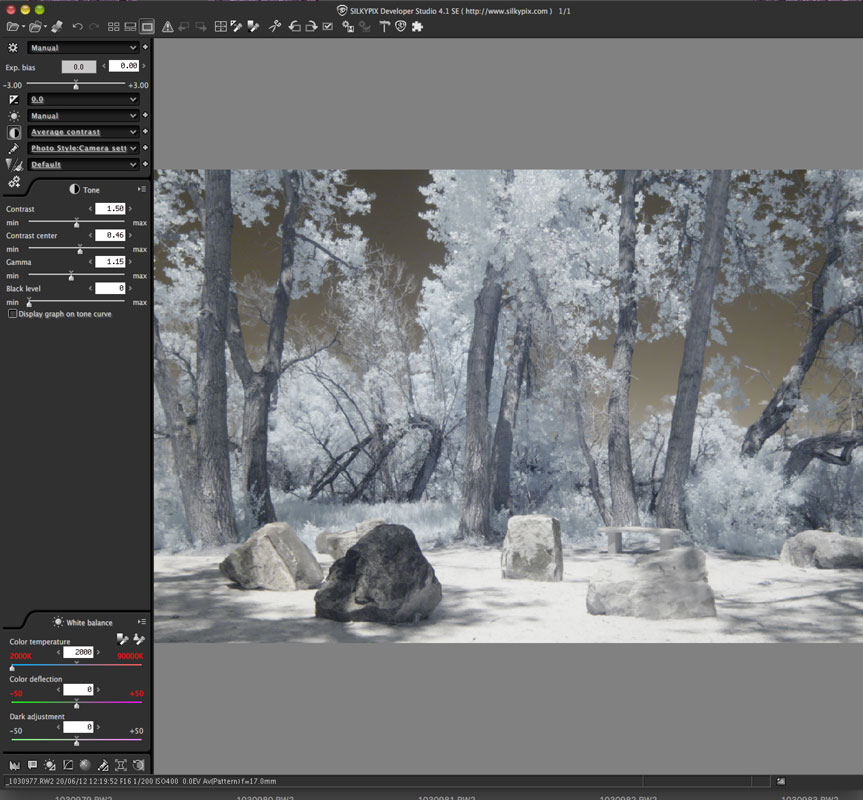 SilkyPix Developer Studio is a commercial and proprietary RAW image processing software that was developed at Ichikawa Soft Laboratory Co. Ltd and is often bundled with cameras from Fujifilm, Panasonic and Pentax. The latest version will, sadly, not work for my current computer/OS combination. So there’s that…
Another disclaimer: My 27-inch iMac is old and does not run the latest operating system. So I get by using older software including Photoshop CS 6 and its version of Adobe Camera Raw. The latest SilkyPix I can run on the computer is version 4. So what happens next is just one approach not the approach. Keep all this in mind as we move forward with my testing. And please read the last paragraph for a real-world story about working with older computers.
How important is it?
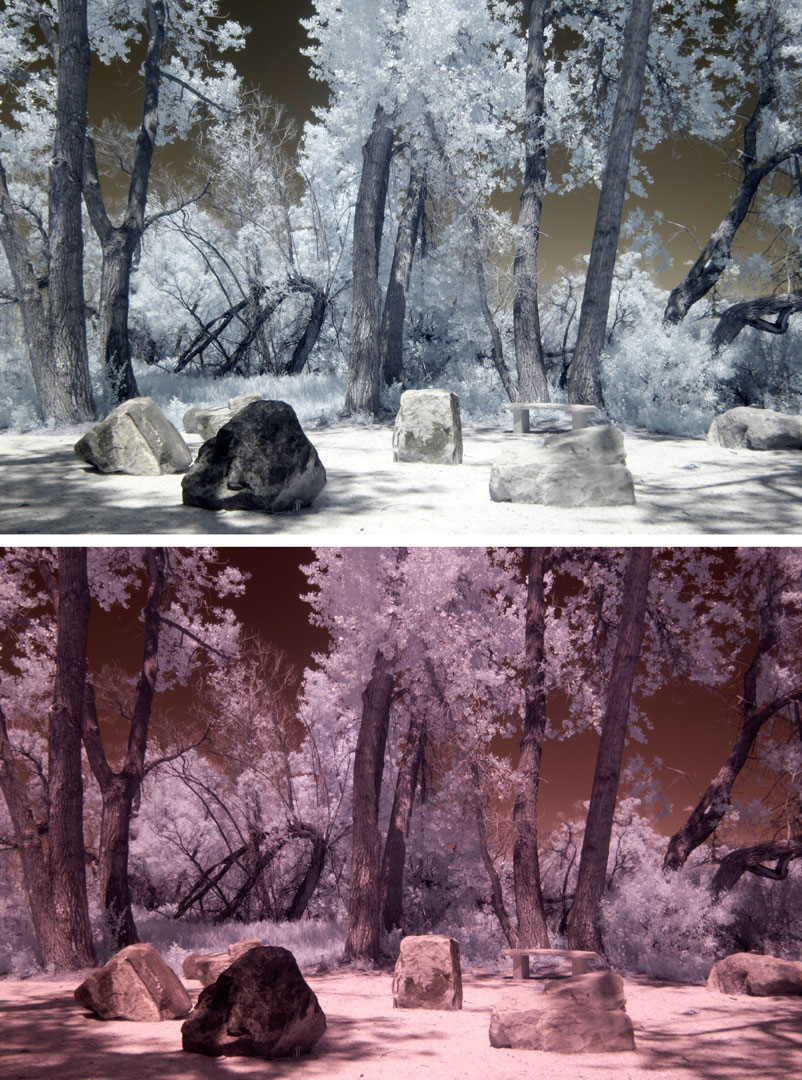
Let’s get started: I began by opening an image file (above left) that was made with a Panasonic Lumix G6 that had been converted by Life Pixel with their Enhanced IR (665nm) filter. The in-camera’s white balance was a custom balance I set by photographing a healthy green lawn,
I opened the file in SilkyPix and used its grey balance tool, which produced the topmost left image. Next I opened the same RAW file in Adobe Camera Raw and used its grey balance tool, which produced the image below the SilklyPix photograph. As you can see the results are dramatically different. At this point you could use either image as you see them and whichever way you like. I know several photographers who would, at this point, call it good and be happy with the results. But not me because I like a little drama in my infrared images.
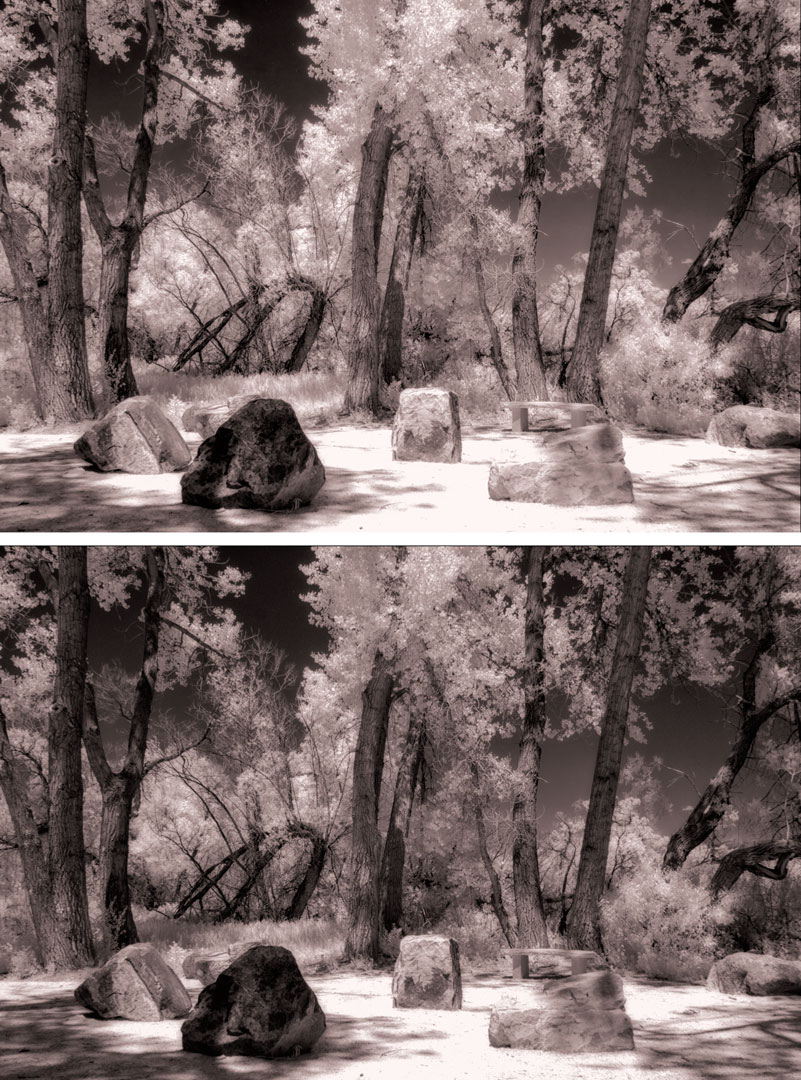 My next step –and you can feel free to skip it– was to apply an infrared enhancement Photoshop Action to both of these images creating the image stack you see at left of this post: The top image was from the SilkyPix file, the bottom is from the Adobe Camera Raw file. When processing the image beyond grey balancing, the gap between the two approaches become much closer with the major difference, as far as I can see, is the overall density of the images. The SilkyPix image is lighter and brighter, the ACR image is darker and moodier. Which image is the better one? It’s whichever one you like but I would like you refer you back to the first paragraph. Because when it comes to your own images, only your own opinion matters.
How I made the original image: I made the original RAW+JPEG shot of a memorial rock garden off the bike path near McCabe Meadows in Parker, Colorado. The camera used was an IR-converted Panasonic Lumix G6 and Olympus M.17mm f/2.8 lens with an exposure of 1/200 sec at f/16 and ISO 400. The RAW file was used for all of these manipulations.
Question and Comment: Would there be any difference in the quality of these images if I had a newer computer with the latest hardware and software? Maybe. But I can only work with the hardware and software I own and can afford and I suspect that’s the case for many of this blog’s readers as well. I am reminded of an experience I had during an encounter with a widely published and distinguished travel photographer who I met in Mexico before Adobe went to their subscription model. I was using Photoshop CS6 and asked him what version of Photoshop he was using and he said, “Three.” I replied, “CS3?” and his response was, “No, Photoshop 3.01 running under the mighty Windows 95.”
 I’ve found that Life Pixel does a great job with IR conversions and they’ve done conversions for some of my Canon DSLRs and all of my Panasonic Lumix G-series mirrorless cameras. This is not a paid or sponsored endorsement, just my experience.
New copies of my book, The Complete Guide to Digital Infrared Photography are available from Amazon for $43.65, with used copies selling for around seven bucks, as I write this. Copes of my book Creative Digital Monochrome Effects that has a chapter on IR photography are $13.78 with used copies selling for around seven bucks, as I write this.