
Today’s Post by Joe Farace
Once upon a time, a Shutterbug reader sent me an email asking, “Why do you shoot infrared, when regular photography is already so hard.” My feeling was then and still is now that IR photography isn’t that difficult and is as hard as you want to make it. That’s why, I was surprised to find that there was a SOOC (Straight Out Of the Camera) movement within the world of infrared photography.
Straight Out of the Camera
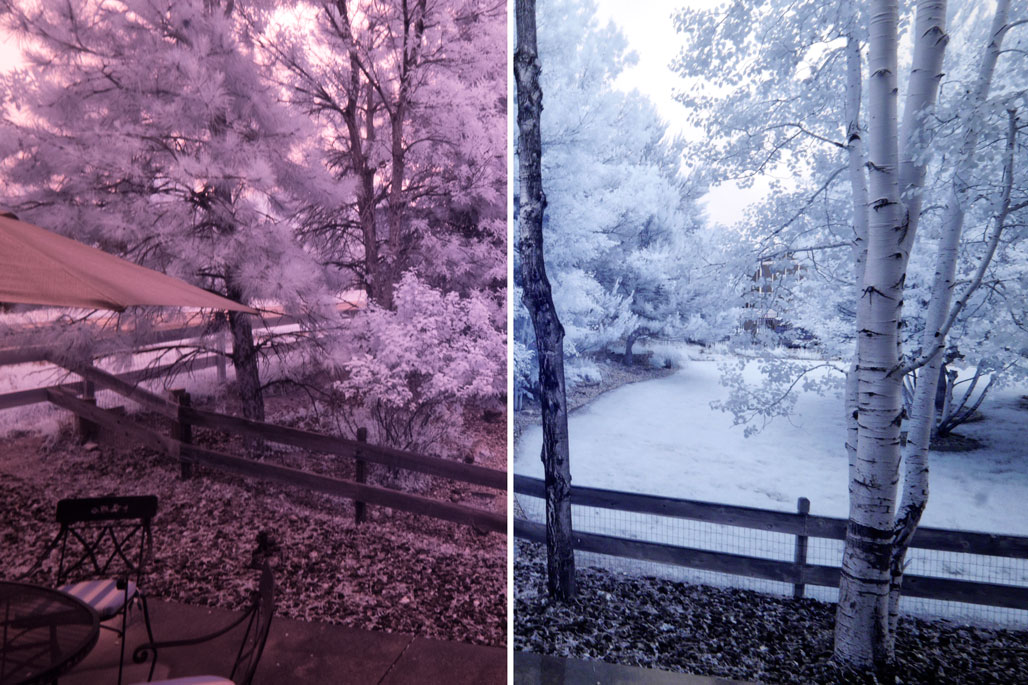 An IR-converted camera typically produces RAW and JPEG files that look almost identical to what you see at right, exhibiting a heavy magenta cast. If you take the time to create a custom white balance for your converted camera, you may (depending on the camera conversion) end up with JPEG images that looks like the right-hand half of that image that has a blue color cast that intensifies or lessens depending on the image’s actual IR content. It’s this latter aesthetic that the SOOC infrared movement seems to have embraced with open arms, perhaps because they see this version as the purest form of infrared capture. You’ll find some of my thoughts on white balance for infrared photography here.
As someone who has been shooting infrared imagery for many years, my preference formerly was to use a monochromatic approach when processing IR image files and many of the infrared photography posts you see on this blog embrace that aesthetic but I am not married to that concept, at least not anymore.
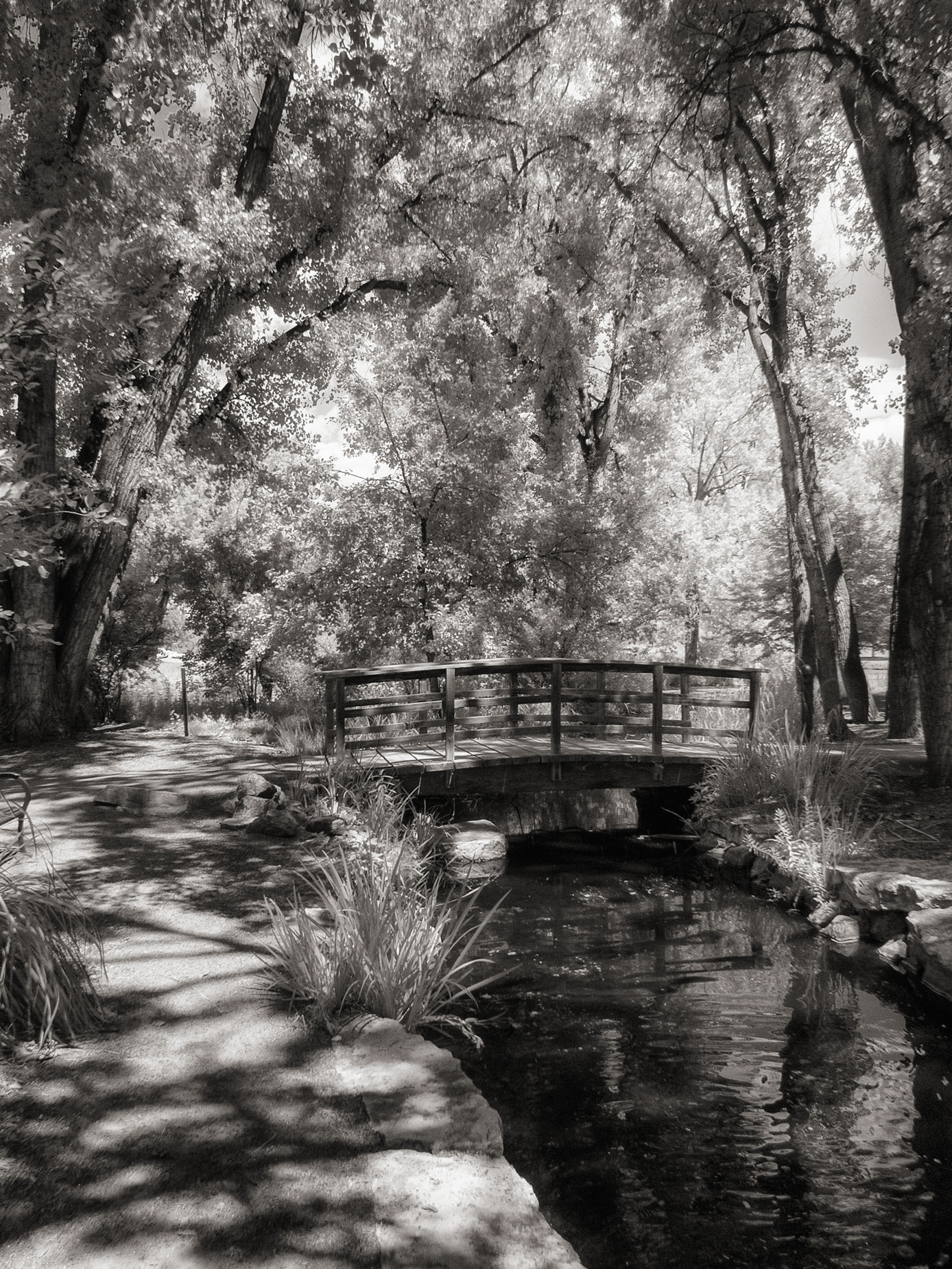 I will confess that while shooting IR with my friend Barry Staver and our many passionate discussions about infrared photography has me more recently creating images such as this one, and other more colorful images that I’ve been posting in Instagram. If you’re not following me there, I invite you to join me (@joefarace) which also includes some looks at some of the non-photographic aspects of my life.
How I Made this Photograph
When shooting infrared images I usually set the camera’s Photo Style menu to Monochrome and select the RAW+JPEG capture option. This method produces a black and white preview on the camera’s LCD screen and/or EVF, while retaining the color RAW file for monochrome conversion later.
I made this image while on a PhotoWalk at Littleton Colorado’s Hudson Gardens with my pal and terrific photographer Barry Staver. The camera was a used Panasonic Lumix GX1 that I had purchased from Robert’s Camera and had converted for infrared capture with Life Pixel’s Hyper Color filter that has no stated nanometer rating. The lens used was the Lumix G Vario 12-32mm f/3.5-5.6 at 13mm. The exposure was 1/250 sec at f/16 and ISO 400.
The RAW file was converted to Monochrome using Silver Efex using their High Structure (smooth) preset and was Platinum toned is PhotoKit 2 before some slight tweaking using Photoshop’s Curves. Because this image was made mostly in the shade, it lacks some of the expected infrared looks.
 I’ve found that Life Pixel does a great job with IR conversions and they’ve done conversions for some of my Canon DSLRs and all of my Panasonic Lumix G-series mirrorless cameras. This is not a paid or sponsored endorsement, just my experience.
New copies of my book, The Complete Guide to Digital Infrared Photography are available from Amazon for $43.66, with used copies selling for around eight bucks, as I write this. Copes of my book Creative Digital Monochrome Effects that has a chapter on IR photography are $13.78 with used copies selling for around seven bucks, as I write this.