
It’s Presidents Day and in year’s past I hypothesized about the kind of mirrorless camera some presidents might have used. Today I’m changing the subject. In another previous post, I wrote about using software filters as part of monochrome conversion for portraits. Today’s #monochromemonday post includes a bit of a refresher on how those different filters work when used with a totally different kind of subject matter—automobiles.
Today’s Post by Joe Farace
“There are no bad pictures; that’s just how your face looks sometimes.” ―
There are many Photoshop plug-ins, including Photoshop itself, that will let you convert color images into to black & white photographs. Many of them, including Silver Efex, also give you the option to add the effect of applying filters to the monochrome conversation to make it seem as if you had placed a colored filter in front of your camera’s lens.
A Look at Some Software Filters
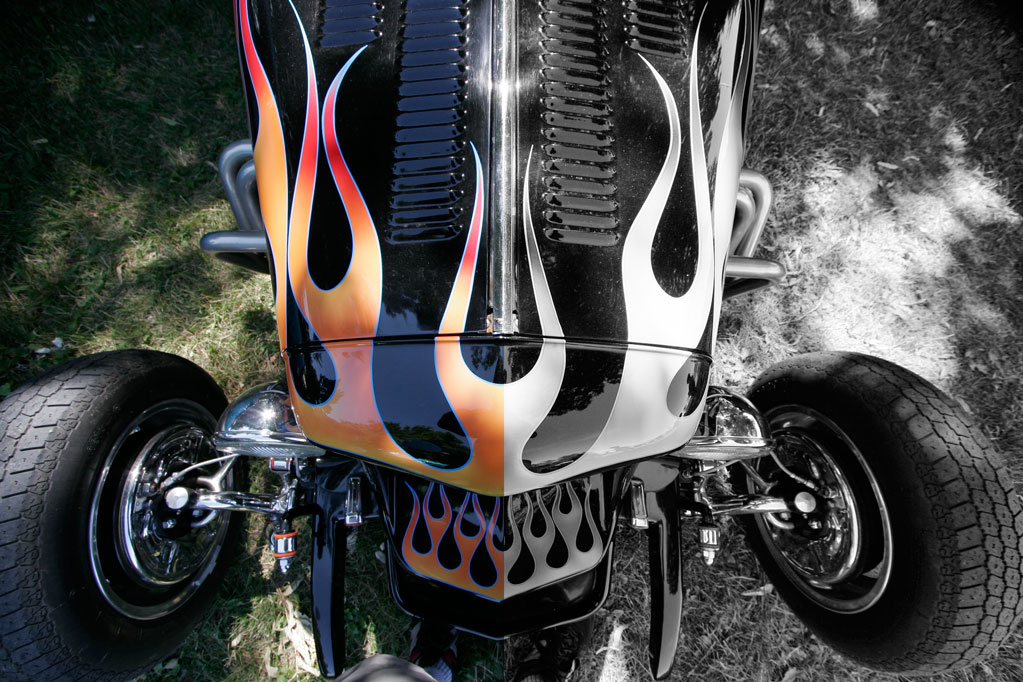 If you’re new to the world of traditional filters for black and white photography, here’s a quick primer:
A yellow filter slightly darkens the sky, emphasizing clouds and is mostly used for landscape photography. When shooting in snow, it can produce dynamic textures. An orange filter produces similar effects to the yellow filter but skies appear darker and clouds more defined. It is said (by the pundits) that an orange filter can also be used in glamour photographs to produce smooth skin tones, although truth be told I seldom use it that way..
Look at the example shown at right: On the left=hand side is the original, as captured, color image, on the right a green filter was applied during the monochrome conversion and it completely changes the subtext of the image. Using a red filter would have had a completely opposite effect because…
A red filter produces dramatic landscapes with black skies and maximum contrast but in portrait or glamour work a subject’s lips may appear washed out. On the other hand, this filter can almost eliminate a person’s freckles and blemishes. A green filter lightens vegetation in landscape photography but doesn’t darken the sky as much as the red filter. With some portrait subjects, skin tones may be more pleasing but freckles and blemishes become more apparent. A blue filter darkens most colors and reduces contrast and recently I have using it for model photography for an enhanced dramatic effect.
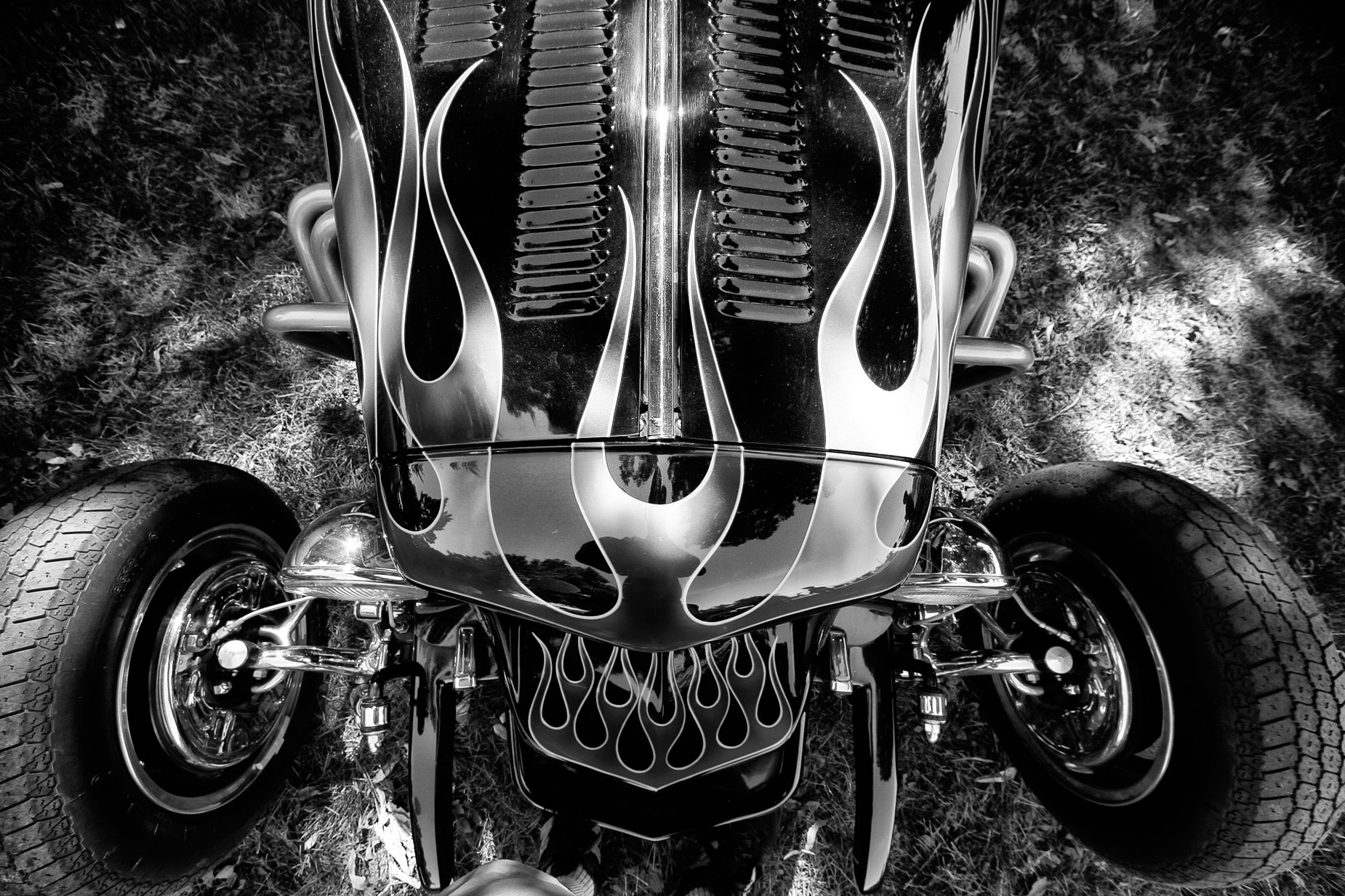
How I made this photograph: I photographed this hot rod at the ColoRODans of Longmont’s annual car show a few years ago. The 2amera used was a Canon EOS 50D with the EF-S 10-22mm f/3.5-4.5 USM lens at 10mm. The exposure was 1/125 sec at f/7.1 and ISO 200. The original JPEG image file was converted to monochrome using Silver Efex with a blue filter applied. The black and white image was then tweaked with the Vivenza Photoshop-compatible plug-in.
 Black and White photography is the topic of the upcoming Pixels, Grain & Cookies podcast, in which Barry Staver and I come to a startling and perhaps erroneous conclusion about monochrome photography. Look for it on my YouTube channel real soon now.
My book Creative Digital Monochrome Effects is still available from Amazon and (I think, anyway) is a fun read. There’s even a chapter on infrared photography. It’s available from them for $11.45 but bargain shoppers can pick up used copies starting at seven bucks as I write this. No Kindle version is available at this time.