
Today’s Post by Joe Farace
“Life is in color but black and white is more realistic” – Samuel Fuller
I’ll admit it, although I have never owned one of their cars, I have a thing for SAAB automobiles. I’ve owned and loved several Volvo cars but never a SAAB and always, and I mean always had a passion for the SAAB Sonett, one of the most unusual sports cars ever produced and totally SAAB in concept.
The Saab Sonett was manufactured between 1955 and 1957 and again between 1966 and 1974. The Sonett shares its engines and other mechanical components with the Saab 93, 95 and 96 of the same era. It was mainly intended for the American export market and was only offered intermittently in the Swedish domestic market for the 1968 and 1972 model years. I’ve always wanted to own one, and once I was almost able to buy a Sonett II but, alas, it was not to be.
SAAB in Monochrome
When I’m feeling uninspired, I try to shoot some photographs in direct monochrome mode to help me get out of that rut. I know it doesn’t have to be all of the images that I’ll shoot, maybe just a few during that day or while photographing a model in a portrait session to, you know, see what happens. More often than not, I’ll run into a surprise or two.
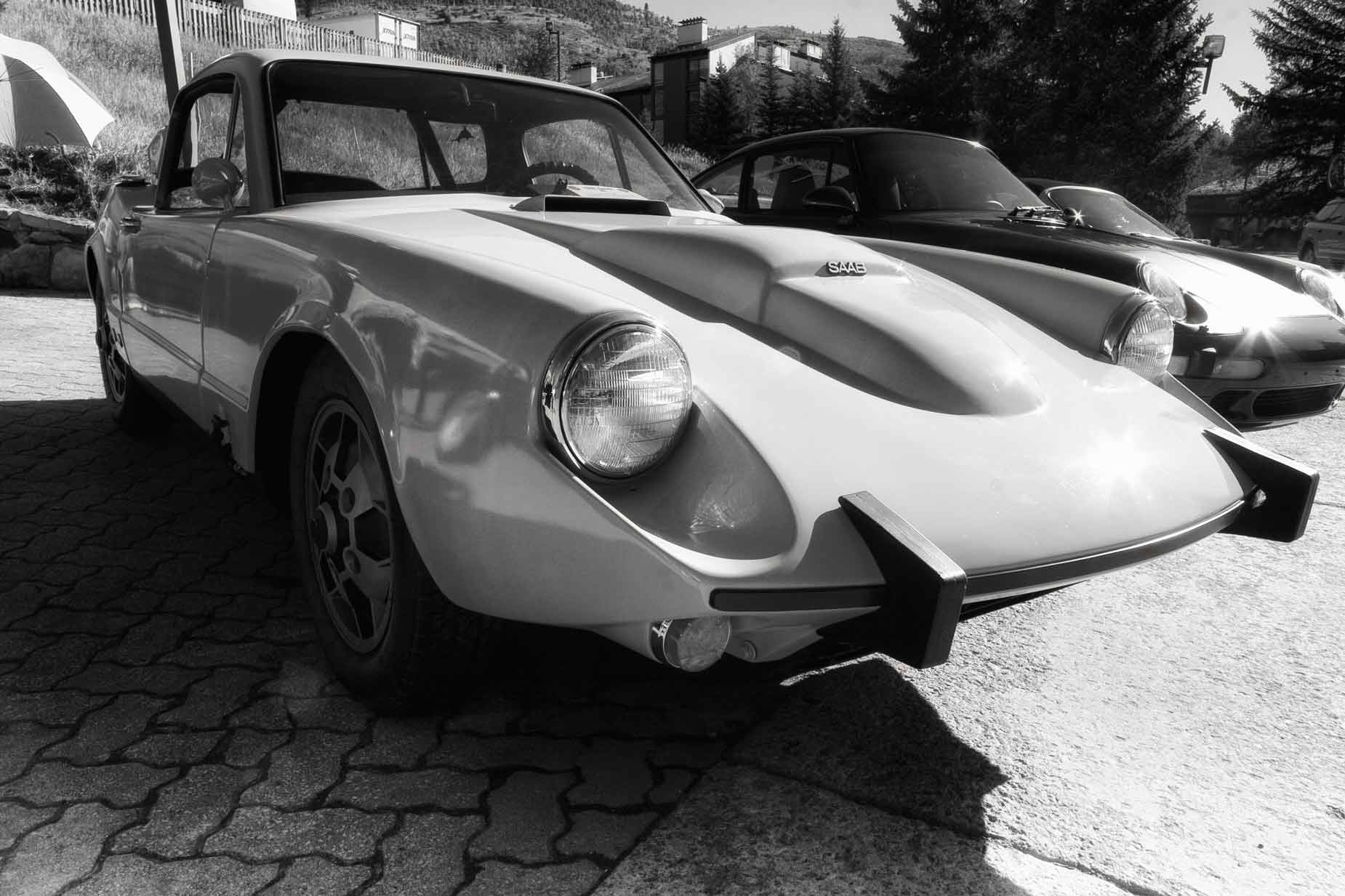
How I made this photo: I photographed this SAAB Sonett II (please correct me if I’m wrong about the model) at an car show in Vail, Colorado. It was photographed using a Canon EOS 20D and EF 10-22mm EF-S f/3.5-4.5 lens (at 17mm) with an exposure of 1/100 sec at f/14 and ISO 200 with a minus one-third exposure compensation . The original color RAW file was converted to monochrome with Silver Efex using their Full Dynamic (smooth) preset. I then layered the Glamour Glow filter from Color Efex to soften the edges,
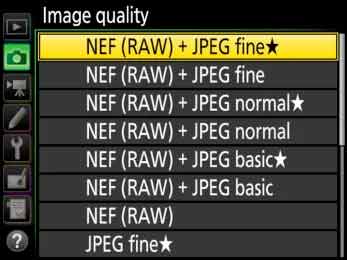 If you think shooting in direct monochrome mode is a bad idea because you worry that, at some later date, you might change your mind and want that original to be in color, there are options. Most DSLRs and mirrorless cameras have a RAW+JPEG mode that lets you capture a monochrome (JPEG) and color (RAW) file at the same time. Some dual-slot DSLRs and mirrorless cameras, even let you simultaneously save each file type onto a different memory card. This is something I like to do when photographing models since I can easily give them all the JPEG’s I make and having them sorted onto one card makes the process go faster when copying onto a CD or flash drive for them.
If you prefer to capture images in color and convert to monochrome later in Photoshop (or whatever) that’s another option and is something that I often do with portraits. The biggest differences in using this technique for portraiture is that all of my favorite retouching tools, such as Imagenomics’ Portraiture, work better with a color (RAW or JPEG) file than with a monochrome image. (More colors and tones lets the software produce more natural results.) That’s when I’ll use the RAW file, retouch it, then convert to monochrome with Silver Efex.
Tip: Another great idea to prevent your photography from becoming stagnant is to make a new photograph each day. This is actually harder to do that it sounds but give it a try, even if you miss a day or two. I tried it in the past; you can see a video about the project on a (solo) Podcast on my YouTube channel, Joe Farace’s Videos.

My book Creative Digital Monochrome Effects is still available from Amazon and (I think, anyway) is a fun read. There’s even a chapter on infrared photography. It’s available from them for $16.67 but bargain shoppers can pick up used copies starting at around six bucks. No Kindle version is available at this time, sorry to say.