
Today is #anythingcanhappenday on this Blog. Lately I’ve increased the number of portrait-related posts on the blog and based on the increased number of page views, people seem to be enjoying them. If you don’t; let me know.
Today’s Post by Joe Farace
Colors, like features, follow the changes of the emotions. —Pablo Picasso
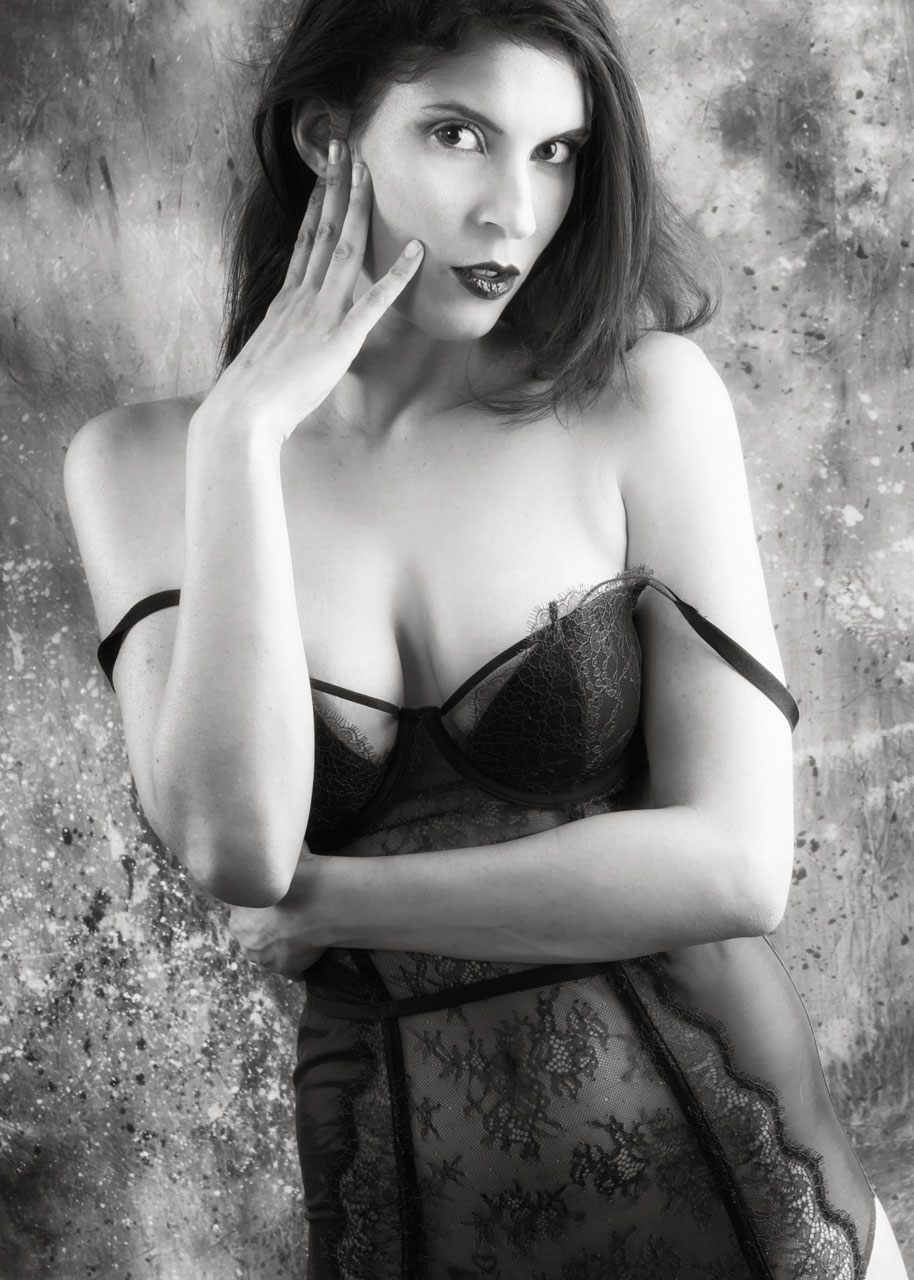 Several years ago I wrote a post called Black & White & Red All Over that was basically a review of the Exposure plug-in from (what is now called) Exposure Software. The latest version of program is Exposure X7 but it was Exposure X3 when I wrote the original post. You can see it here or it may be shown at the bottom of this post in the “Related” section.
That original post was written during a time when I was dealing with censorship of my images on social media. One of the steps I took to mitigate problems, like shadow banning, was creating more of my glamour and boudoir images in black and white because they seemed less prone to on-line censorship. I could be wrong about that but it’s what I believed at the time.
Since then a couple pf things have happened: First, I wrote a post about these problems called literally Censorship and Social Media. The second thing I did was to add a benefit to my Patreon subscribers allowing them to see totally uncensored images of selected posts that are typically available on Thursdays with some bonus post on Tuesdays.. You can read how that works here.
How I Made this Portrait: The image at right is a reinterpretation of the original black and white conversion and reflects my current way of editing this kind of monochrome image. The camera I used to make the portrait was a 20.3-megapixel Olympus Pen F with Oly’s 14-42mm f3.5-5.6 II kit lens. The lighting was provided by two Paul C Buff DigiBee DB800’s and one AlienBee B800 light. The background was a hand painted Carbonite muslin from Silverlake Photo Accessories. The exposure was 1/200 sec at f/11 and ISO 400. A black and white conversion was made using the the Full Dynamic (smooth) preset that’s found in Silver Efex with a light dusting and warming via the Glamour Glow filter in Color Efex.
What About Color?
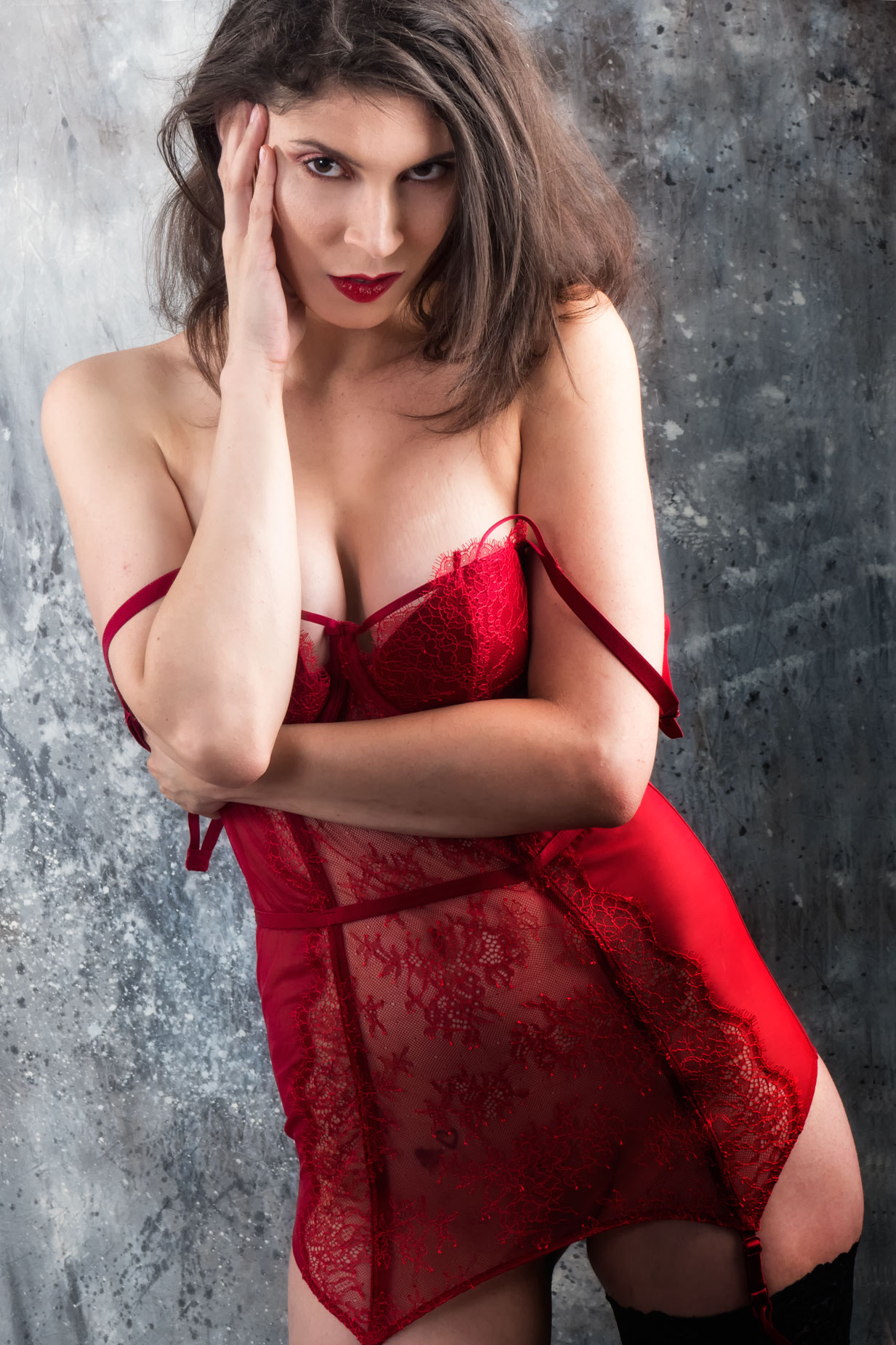 Instead of making a color version of that same image file, I decided to pick a similar but different photograph from the same series that I think was more interesting and dramatic (than that original one) and produce an enhanced color version of it.
Like the previous image, this portrait was captured as an Olympus RAW file for the Pen F. Adobe Bridge CS6 does not read that format (and lots of others) so I used Adobe’s free DNG Converter to convert it to a DNG file that I used to produce the image you see here. This software converts RAW files from lots of different cameras and is useful for people, like me, who stubbornly refuse to participate in Adobe’s monthly subscription program.
As in the other, monochrome image, there is a slight Dutch Angle tilt to the portrait. I wanted to exaggerate that tilt more so I enlarged the image on the right side, pasting in some of the background on the edge. then used Photoshop’s Rotate command to rotate it two degrees counter-clockwise. Then I cropped it into a 3:2 ratio using the Crop command. Next, there was some minor retouching along with some burning and dodging using layers from PhotoKit. Then I jumped into Vivenza to punch of the contrast (a tiny bit) then added a layer of the Glamour Glow filter from Color Efex to finish the image.
Note for my Patreon Subscribers. After looking at all of the images in this series on Adobe Bridge, I might be able make a nice Bonus post out of some of them for one of my uncensored Password Protected posts. If you are interested in seeing some of those images, click CONTACT and let me know. If you are not yet a Patreon subscriber—it’s surprisingly inexpensive—details on how to sign up can be found here.