
National Dream Day is celebrated annually on March 11. The holiday was created to make everyone realize that they can build and go after their dreams. One of my dreams has been to own, drive or at least sit in an Allard automobile. This is the closest I’ve gotten, so far.
Today’s Post by Joe Farace
“Rarely seen. Never forgotten.”–motto of Allard Cars
Allard Motor Company Limited was a London-based car manufacturer that was founded in 1945 by Sydney Allard and was headquartered in a small facility in Clapham in south-west London. It produced approximately 1900 cars before it ceased operations in 1958. Before WW II, Allard produced replicas of a Bugatti-tailed specials of his own design. Uniquely, Allard cars had large American V8 engines, many of them from Cadillac, that were mounted inside a light British chassis, producing a high power-to-weight ratio foreshadowing the Sunbeam Tiger and AC Cobra of the early 1960s. Trivia: Carroll Shelby and Chevrolet Corvette chief engineer Zora Arkus-Duntov both drove Allards in the early 1950s.
The Allard in Infrared
While the classic infrared shot is typically seen as a black and white image, you can add color to it, depending on the on-camera filter or infrared conversion used. One way is by adding the blue sky effect to an infrared photograph that’s explained in my tutorial on the technique. While I think the overall effect of this can look good, I was surprised to learn that some of you think it’s not that great of an effect. And so, in my never-ending quest to provide as many options as possible for all forms of infrared (and car) photography, I would like to present an few alternatives:
Many cameras offer a built-in black and white mode that also have other ways to add color, including sepia, which can work to create a vintage look. So you can tone digital images—in camera—as you make the photographs. Depending on how a specific camera implements this method, sometimes it works and sometimes it doesn’t You can also add color in Photoshop using the toning filters hat are found in monochrome conversion programs, like Silver Efex, or specialty software like Pixel Genius’ PhotoKit; I especially like the plug-in’s Platinum effect to subtly tone images. You can also manually add hand-coloring effects using Photoshop’s layers as I demonstrated in a tutorial using an infrared photograph of a Porsche Speedster.
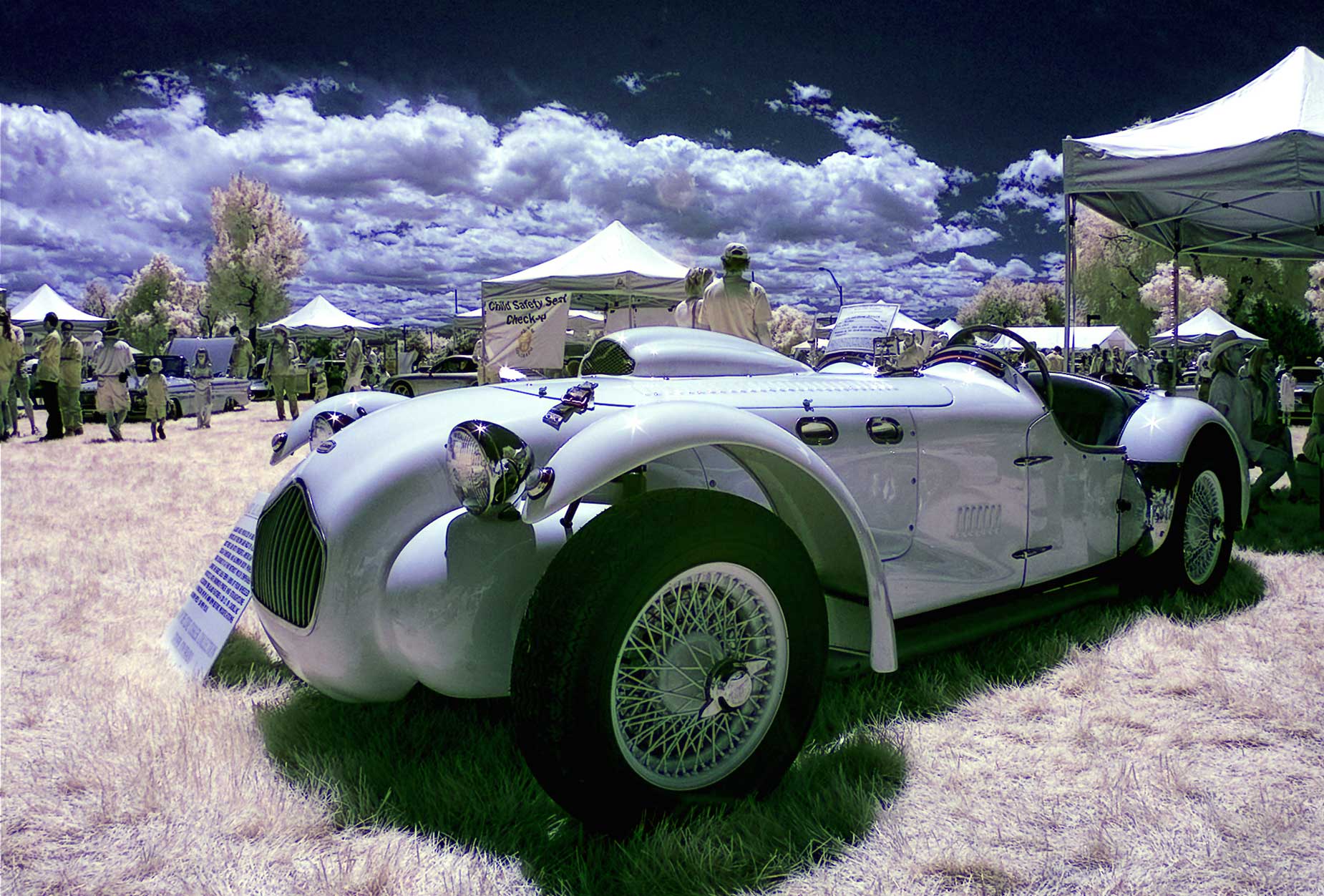
How I made this photo: I photographed this classic Allard automobile at a car show in Denver using a Canon EOS D50 that had been converted for infrared capture by Life Pixel using their Standard IR (720nm) filter. The lens used was a manual focus 16mm Zenitar f/2.8 with an exposure of 1/160 sec at f/16 and ISO 200. David Burren created a Photoshop Action that was used for the above image and it’s a good choice for easily adding a dash of color to IR files. The action applies all its changes via adjustment layers, allowing you to undo or tweak each of the changes to suite your taste.
 I’ve found that Life Pixel does a great job with IR conversions and they’ve done some of the conversions for my Canon DSLRs and all of my Panasonic Lumix G-series cameras. This is not a paid or sponsored endorsement, just my experience.
My book, The Complete Guide to Digital Infrared Photography is currently not available from Amazon as I write this. I’ve seen used copies on eBay on sales for less than $30. My book Creative Digital Monochrome Effects has a chapter on IR photography and also is no longer available from Amazon as I write this but I’ve seen copies on eBay selling for seven bucks.