
Today’s Post by Joe Farace
I didn’t always shoot in RAW but now that I know better I wished that I had.—Joe Farace, with regrets
Let me start by telling you a story that explains where I was coming from as far as image capture is concerned, If you’ve heard it before, please skip to the “How and When” paragraph.
Several years ago, I was hired by Modified magazine to photograph a Nissan Skyline for a feature story and I decided to photograph the car at Denver’s Red Rocks Park. The magazine’s Art Director instructed me to “shoot JPEG’s for most of the photos for the article but for any that you think would make a good double-page spread, shoot them in RAW.” I did what he asked for submitting mostly JPEG files but there was also bunch of RAW files for those potential double truck spreads. The photo he ultimately chose to be spread across two pages was one that I originally shot as a JPEG! So based on that real world experience I ignored what all the cool kids and pundits had said to “shoot RAW” and continued shooting everything as JPEG. But I was wrong.
How and when…
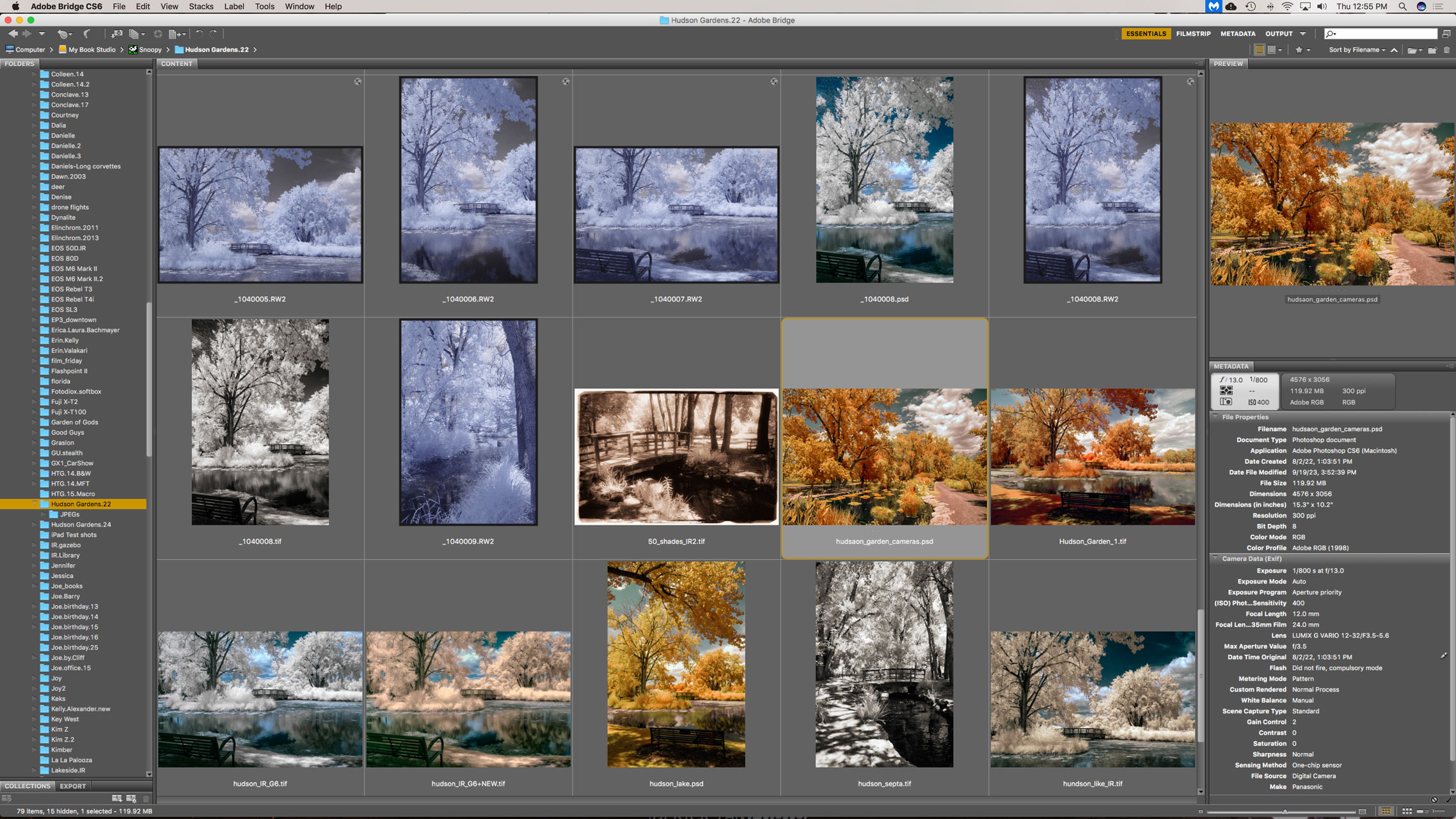 …did my conversion to RAW capture happen? It all started with the Panasonic Lumix mirrorless cameras that I had converted for infrared capture by Life Pixel— a G5, G6 and GX1. At 16.05-megapixels, all of these cameras are what might politely be termed as megapixel-challenged. So in order to squeeze the maximum image quality from any of the cameras, I decided to shoot all of my infrared images as RAW+JPEG.
Since the G5 and G6 are essentially monochrome cameras, I set them in Monochrome mode so when I capture an image it’s saved as two files: a color RAW file and a black and white JPEG. The JPEG files shows me a real-time monochrome image in the EVF and on the preview screen but also give me a preview of what my RAW file will look like after conversion to monochrome later in Photoshop when viewing the images in Adobe Bridge.
Then, for some reason…
I really don’t remember when and why, I started shooting all of my portrait and glamour images as RAW+JPEG files. There was some logistic rationale to the process because it produced a set of JPEG images that I gave to the models along with RAW files that would be retouched and processed to produce the final image for either their or my use. Color RAW files have so many more tones than a black and white JPEG, so they are easier to retouch, even if I planned to later convert the image to monochrome.
And NOW I now shoot everything in RAW but not all of my camera’s RAW files will open in the copy of Adobe Camera RAW that’s part of Photoshop CS6, I often have to convert a camera’s RAW file into the DNG format using Adobe’s free Digital Negative Converter software. But it’s a workaround that I have to use to deal because of my “old” computers and software.
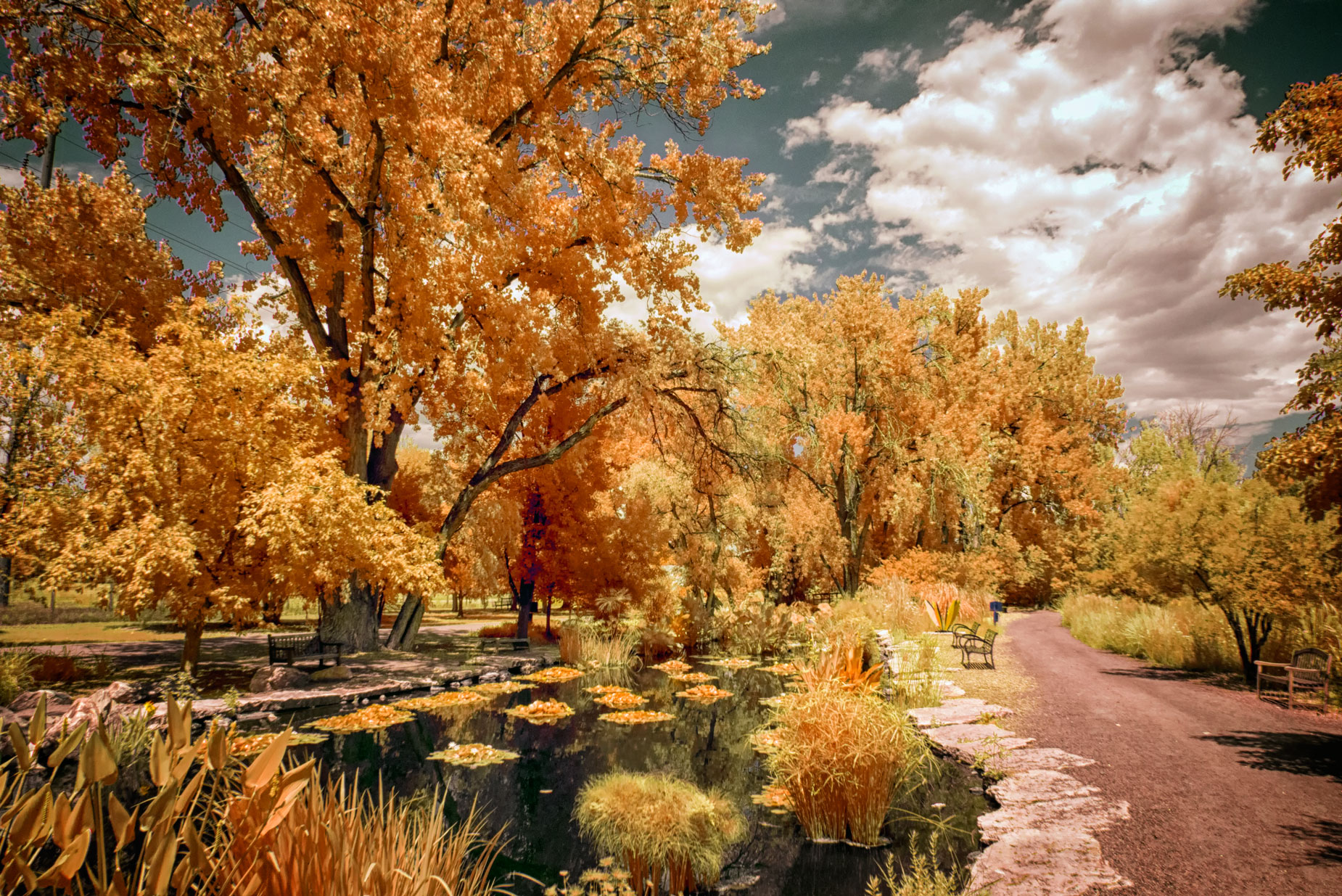 How I Made this Photograph: I was in a weird mode frame of mind when I processed it. I’m not sure what that says or says about me but I was binge listening to Brazil 66 while processing it.
I photographed this scene at Hudson Gardens when on an infrared PhotoWalk with my friend Barry Staver. It was made with a Panasonic Lumix GX1 that was converted for infrared by Life Pixel using their Hyper Color filter. The lens was the Lumix G Vario 12-32mm f/3.5-5.6 kit lens that I have a love/hate relationship with. The exposure was 1/800 sec at f/13 and ISO 400. The RAW file was converted to this look using one of Life Pixel’s proprietary Photoshop Actions (that they at one time included with a camera conversion) and slightly tweaked using Color Efex’s Detail Extractor filter in keeping with my mood. A little burning and dodging using PhotoKit 2 wrapped up the processing.

I’ve found that Life Pixel does a great job with IR conversions and they’ve done most of the conversions for my Canon DSLRs and all of my Panasonic Lumix G-series cameras. This is not a paid or sponsored endorsement, just my experience.
Used copies of my book, The Complete Guide to Digital Infrared Photography are available from Amazon starting around nine bucks as I write this. My book Creative Digital Monochrome Effects has a chapter on IR photography and is available new from Amazon for $11.46 with used copies starting around six bucks as I write this.