
Today is #anythingcanhappenday on the Blog. It’s also World Kindness Day, an international holiday started in 1998 to promote kindness throughout the world and is dedicated to the positive potential of large and small acts of kindness.
Today’s Post by Joe Farace
“Color is descriptive. Black and white is interpretive.” – Eliott Erwitt
 Many Photoshop plug-ins, such as the Silver Efex plug-in used for today’s featured image, not only let you convert color photographs to black & white but also give the option to add the effect of applying color filters during monochrome conversation. Using a digital filter this way makes the final images appear as if you placed a color filter in front of your camera’s lens if shooting the original image in black and white.
It’s all About the Filters
If you’re new to the world of using color filters for monochrome photography, here’s a quick primer:
A yellow filter slightly darkens skies emphasizing clouds and is primarily used for landscape photography. When shooting in snow it can produce dynamic textures. An orange filter produces effects similar to a yellow filter but skies appear darker and clouds more defined. An orange filter can be used in glamour photography to produce smooth skin tones, although I seldom use it that way.
A red filter will produce dramatic landscapes with black skies and maximum contrast but when used for portrait or glamour images a female subject’s lips can appear washed out. In portraituse, this filter almost eliminates freckles and blemishes, if that’s an effect you want to achieve. A green filter lightens vegetation in landscape photography but doesn’t darken the sky as much as a red filter. With some portrait subjects, skin tones may be more pleasing but freckles and blemishes are more apparent. A blue filter is less commonly used than other filters and can be used to correct color casts, enhance a cooling effect or add a moody look to black & white photos by lightening blue tones and darkening warmer colors.
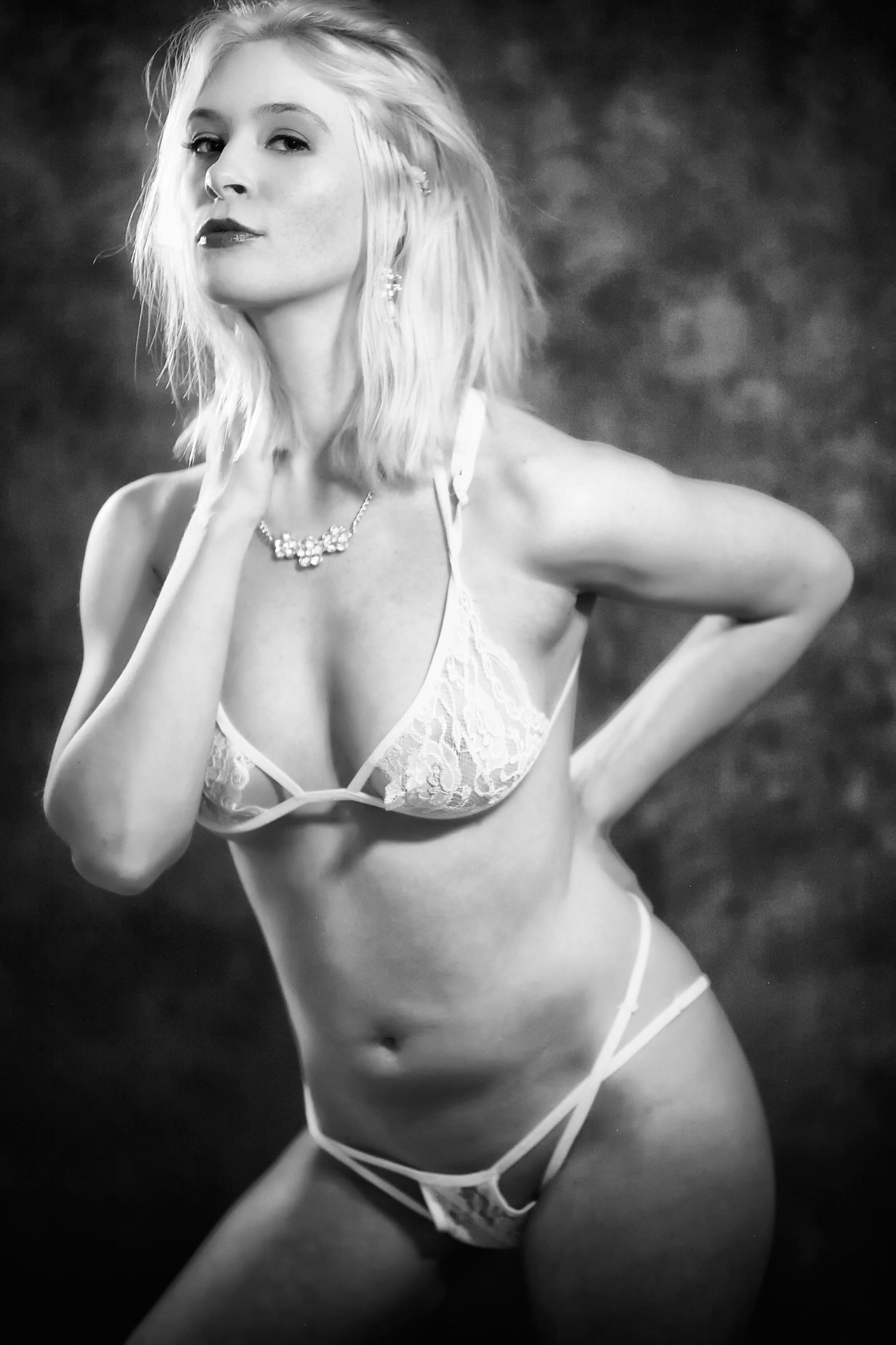
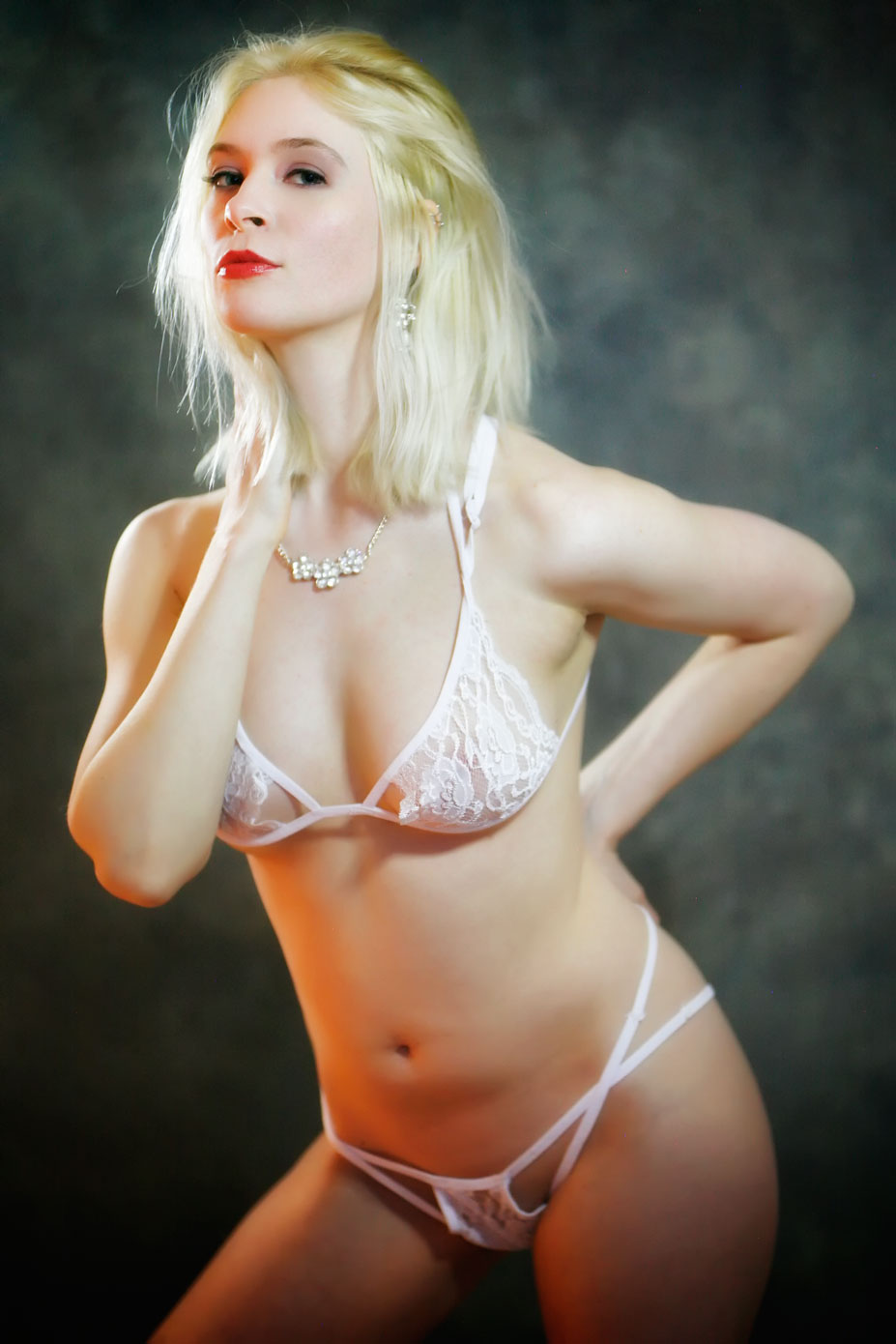
How I Made this Portrait: I photographed the incredible Pam Simpson in my 11×15-foor home studio using a Rotolight NEO 2 LED light placed at camera right with a 30-inch translucent umbrella mounted in shoot-through mode to soften the light. I’ve found that some, but not all, models find LED lighting to be harsh and imakes them squint. Using an umbrella with the light, minimized that effect and softens the light while only slightly reducing it’s output. Two NEO 2 LED lights were set behind the subject at 45-degrees and were placed to highlight Pam’s blonde hair and the side of her body. All the lights were set on their maximum output; the NEO 2’s produce 2000 lux at three-feet. (See Tuesday’s Post “Working with and Using LED Lighting” for details on what “lux” means in real world terms.)
The camera used was a Canon EOS 5D Mark I with EF 85mm f/1.8 lens with an exposure of 1/30 sec at f/1.8 and ISO 1600. The original color JPEG file (above right,) was made before my current RAW+JPEG regimen and was lightly retouched and converted to monochrome using Silver Efex’s High Structure (smooth) preset with the Blue filter applied. This is not a filter I typically use for portraits but I liked the way it bumped up the contrast and gave the image an old school Hollywood look. The image file was finished off with a light touch of Color Efex’s Glamour Glow filter.

My book Creative Digital Monochrome Effects is available from Amazon for $11.46 with used copies, as I write this, starting at around ten bucks, for what is one of my personally favorite books. The new book price is only a few bucks more but you can take your choice,