
Today’s Post by Joe Farace
There’s an old photographer’s saying that “if you take care of your equipment it will take care of you.” ——Joe Farace
Several years ago, I attended a hot rod show with plans to make photographs of some of the cars for my car photography blog. Sometime during that day, I accidentally and unbeknownst to me scratched the front element of my Canon EF 10-22mm EF-S lens. This wasn’t the first time I’ve done something this stupid but hoped it would be the last. (It wasn’t.)
Here are just a few simple tips that might save you the cost of an expensive repair or, worse yet, replacement of one of your favorite lenses

How I Made this Photograph: I captured this drag racer at the now-closed Bandimere Speedway. The camera used was a Canon EOS 20D with a Tamron 18-200mm F/3.5-6.3 Di III VC lens at 200mm. Interestingly (or not) the EXIF data in Adobe Bridge misidentified this lens.) The exposure was 1/60 sec at f/18 and ISO 200 with a minus one-third stop exposure compensation.
When working under less than ideal conditions, and this is me talking here, I believe that based on the several bad experiences I’ve had, it’s a good idea to attach a UV or Skylight filter to the front of my lenses. I know that some photographers disagree with this practice but my (bad) experiences show that it’s a good idea.
I’ve found that a UV/Haze or Skylight 1A filter provides an effective ounce of prevention in photographic situations where there is blowing dirt, saltwater spray, or when working in crowds. It seems obvious to me that, under these conditions, you want to use a high quality filter, You’ll ultimately going to have to clean this filter. Last month, I suggested you use a FilterKlear from LensPen. It’s a indispensable accessory for photographers who are using any kind of filter on their lenses. At the same time, you might also consider keeping a DigiKlear to keep your LCD screen clean as well.
A Clean Screen is a Happy Screen
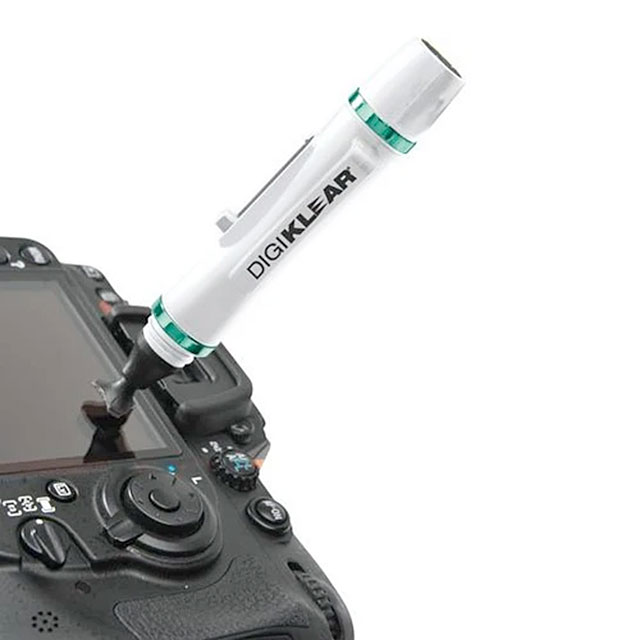 No matter what kind of digital camera you use—DSLR or mirrorless—keeping its LCD screen clean, dust and smear free can be a challenge. As camera’s preview screens have gotten larger they also seem seem to attract more dust and finger marks. That’s why I always keep a LensPen DigiKlear in my camera bag.
DigiKlear was specifically designed for cleaning the LCD screens that are found on the backs of DSLRs and mirrorless cameras and it’s a safe and easy product you can use to keep other parts of your camera clean too, While It’s perfect for cameras, it can also be used clean screens on other optical devices, including drones.
DigiKlear features a retractable dust removal brush and a special non-liquid cleaning element that’s designed never to dry out.
- DigiKlear measures 4.33-inches(11cm) long and has a round cleaning tip that measures 12mm in diameter.
- The Cleaning tip has a semi-triangular shaped tip making it well suited for cleaning the corners of the screen.
- DigiKlear features the LCF invisible carbon, which is the patented LensPen cleaning compound that’s been redeveloped as invisible white carbon.
Best of all, a DigiKlear only costs $12.95, so you can afford to keep one in each of your camera bags. It also makes the perfect gift for your favorite photographer—or yourself!
LensPen is a long-time sponsor of my sites and blogs but I started using their products long before I even had a blog. My wife bought me my first LensPen in 1994 just after I acquired a Nikon N90s film-based SLR! I would like to thank LensPen for their continued support.