
Today’s Post by Joe Farace
“Color is descriptive. Black and white is interpretive.” — Elliott Erwitt
These days most and maybe all of the sensors found in DSLRs and mirrorless cameras are sensitive to more than just visible light, a reality that can can sometimes cause color balance problems. That’s why most manufacturers place an anti-aliasing filter in front of the imaging chip to block any interfering light, including infrared. This filter rejects infrared light while protecting your images from color errors and desaturation without any loss of ISO speed. But there’s more to it than that…
It’s all, Black & White to Me
The anti-aliasing (or optical low-pass filter) performs these functions and minimizes aliasing and moiré in your photographs but at the expense of sharpness, which is why more and more camera are eliminating it. The Pentax K-1 Mark II, for example, doesn’t have an optical low-pass filter but includes an AA Filter Simulator function, which moves the sensor slightly to mimic the effects of a physical filter.
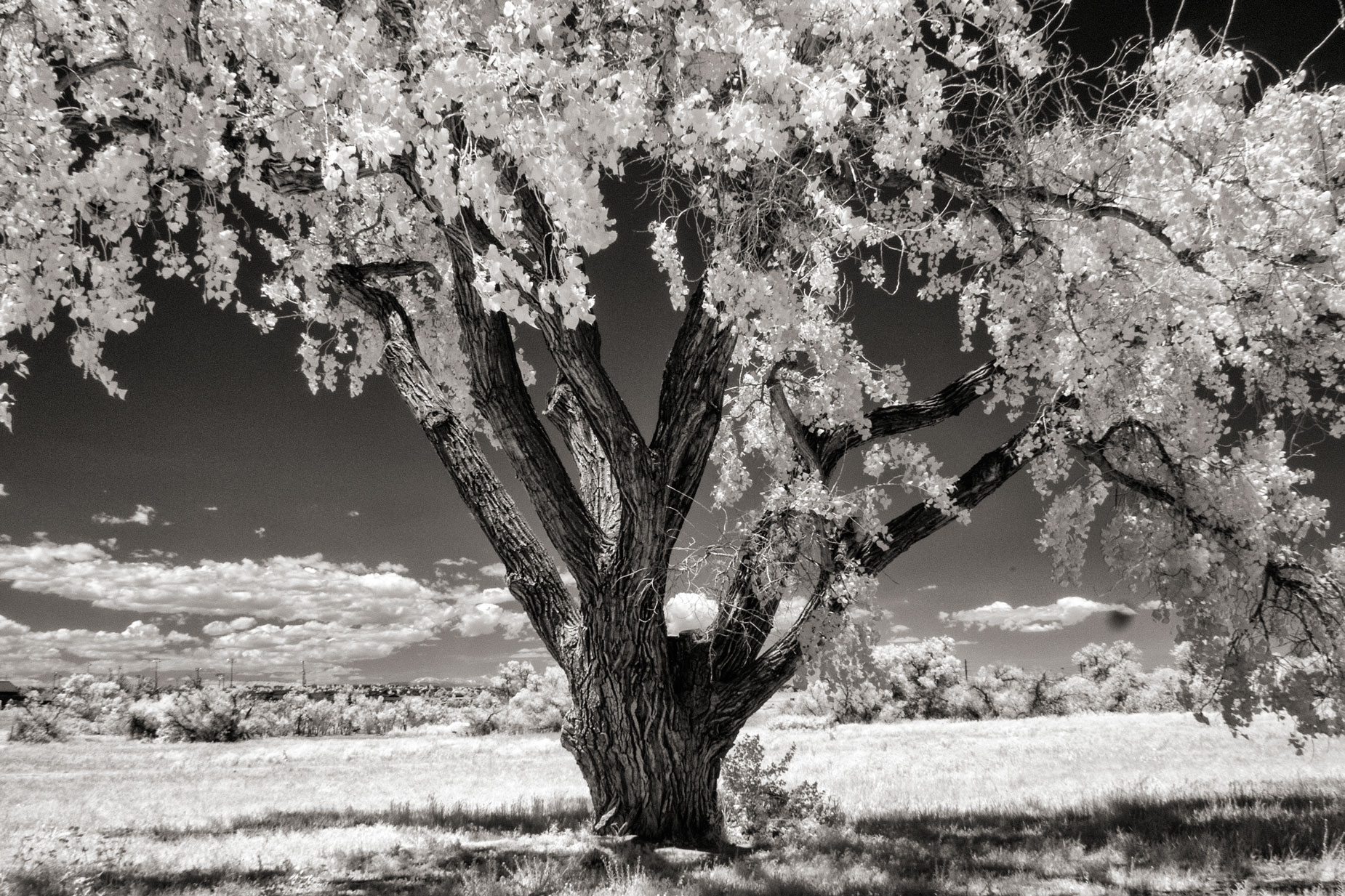
How I made this shoot: I photographed this tree in McCabe Meadows near Parker, Colorado using a Panasonic Lumix G6 that was converted for infrared capture by Life Pixel using their Enhanced IR (665nm) filter. The lens used was the Olympus M.17mm f/2.8 with an exposure of 1/160 sec at f/16 and ISO 400. The JPEG file was processed in Silver Efex using their Full Dynamic (smooth) preset and Platinum toned with PhotoKit 2.0.
While the sensors in most digital cameras are fitted with that infrared cut-off filter designed to reduce IR contamination, many cameras let enough IR through to allow at least some, what some call, near infrared photography. Here’s how to leverage that fact:
Whenever I get a new camera, I go downstairs to the family room to give it the “remote control test” that may be one of the easiest ways to see if your camera is infrared capable: You point a TV remote control at the lens and take a picture or look at the image on the LCD screen. If you see a point of light, you’re ready to make IR digital images by using the appropriate lens filters. Caveat: Some readers told me that this test is not infallible but it’s the only one I know short of sticking an IR filter in front of the camera’s lens and, you know, see what happens. This latter test is infallible. Tip: Maybe someone (or your local camera store) will loan you an IR filter to give it a try.
What happens if your camera fails the test and you still want to shoot IR images? If you’re really serious about IR photography—something we briefly mention in the latest Pixels, Grain and Cookies podcast—The best solution is to convert a camera to infrared-only capture as was done with the Panasonic Lumix G6 mirrorless camera I used to make today’s featured photographs.
 I’ve found that Life Pixel does a great job with IR conversions and they’ve done some of the conversions for my Canon DSLRs and all of my Panasonic Lumix G-series cameras. This is not a paid or sponsored endorsement, just my experience.
New copies of my book, The Complete Guide to Digital Infrared Photography are available from Amazon for $43 with used copies starting around thirty bucks as I write this. My book Creative Digital Monochrome Effects has a chapter on IR photography and is available new from Amazon for $11.46 with used copies starting around nine bucks as I write