
Today’s Post by Joe Farace
If you have a garden and a library, you have everything you need.— Marcus Tullius Cicero
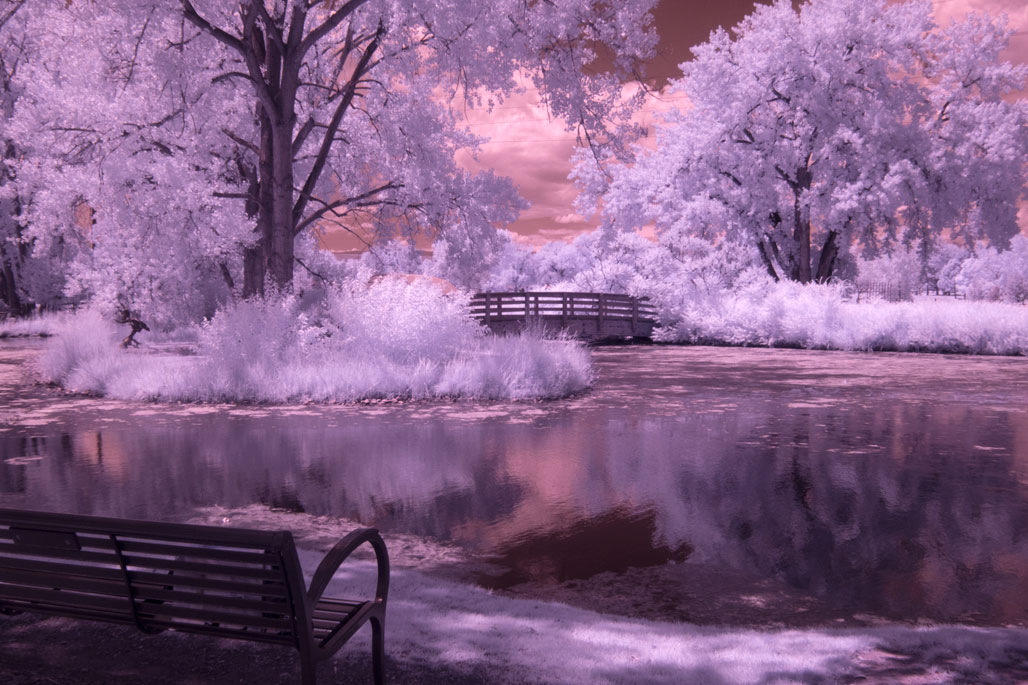 I had a Panasonic Lumix G6 mirrorless camera converted for infrared photography by LifePixel using their “Enhanced Color IR Filter.” For those of you interested in the details, it’s equivalent to a 665nm infrared filter and allows more natural color light to pass through your lens onto the sensor that a fiter with a higher nm rating like the Standard Infrared conversion.
Enhanced Color Infrared
LifePixel claims that this conversion is well suited for color IR photography with more saturation and color range. They also say the black and white infrared effect “looks quite good although with a bit less contrast” and a little less contrast is a good thing for IR photography. When a RAW or JPEG file is converted into monochrome, this filter produces excellent black and white images. But that’s not just why I think that this conversion is so interesting.
With cameras converted with the Enhanced Color IR Filter you can use Photoshop’s Channel Mixer Adjustment Layers to create something that’s black and white while producing the “blue sky” effect, producing an image that blends color and monochrome as well as reality and unreality at the same time. But that’s not what I did here, although I did start by converting the images to produce that “blue sky” look at the beginning of processing but then..

How I made this photograph: This photograph was made during a PhotoWalk at Littleton, Colorado’s Hudson Gardens when my friend and legendary photojournalist Barry Staver. The property was opened to the public in June 1996 and is composed of thirty acres of garden exhibits, trails, natural terrain and event venues.
The above photograph was made using a Panasonic Lumix G6 with Lumix G Vario 12-32mm f/3.5-5.6 (at 17mm) with an exposure of 1/250 sec at f/16 and ISO 400. The as-captured RAW file is shown at above right and was shot using the 3:2 aspect ratio. I cropped the final image into the 4:3 aspect ratio because that is native with Micro Four-thirds cameras, which I now shoot as default (but not when I made the original image.)
That image file can be converted using the “blue sky” effect that’s described in How to Produce the Blue Sky Infrared Technique.. Or you can apply an optional Photoshop action (IR Channel Swap w/ white foliage) that Life Pixel previously offered with (some) conversions. That’s what I began my processing with but the image looked too much like some of the other infrared images I created during this PhotoWalk. So as a finishing touch I applied the Detail Extractor filter with a dash of Glamour Glow fitter from Color Efex to give it a different look from some of the other IR images that I made that day,
 I’ve found that Life Pixel does a great job with IR conversions and they’ve done some of the conversions for my Canon DSLRs and all of my Panasonic Lumix G-series cameras. This is not a paid or sponsored endorsement, just my experience.
New copies of my book, The Complete Guide to Digital Infrared Photography are available from Amazon for $44.59 with used copies starting around eight bucks as I write this. My book Creative Digital Monochrome Effects has a chapter on IR photography and is available new from Amazon for $11.46 with used copies starting around eight bucks as I write this.