
Today’s Post by Joe Farace
All colors are the friends of their neighbors and the lovers of their opposites.—Marc Chagall
If you want to add some color to your black and white infrared images, you have two possible choices: You can add color at the time of capture or afterwards in the digital darkroom. Obviously, the simplest way is in-camera. Most cameras that offer a built-in black and white mode almost always include a toning option, so you can simply tone your infrared images as you shoot JPEG files. You can also add color during post production using any of the toning filters that are found in Pixel Genius’ PhotoKit (and other software) and I used that plug-in’s Platinum option to tone the below image after processioning it in Silver Efex, which has it’s own set of toning options.
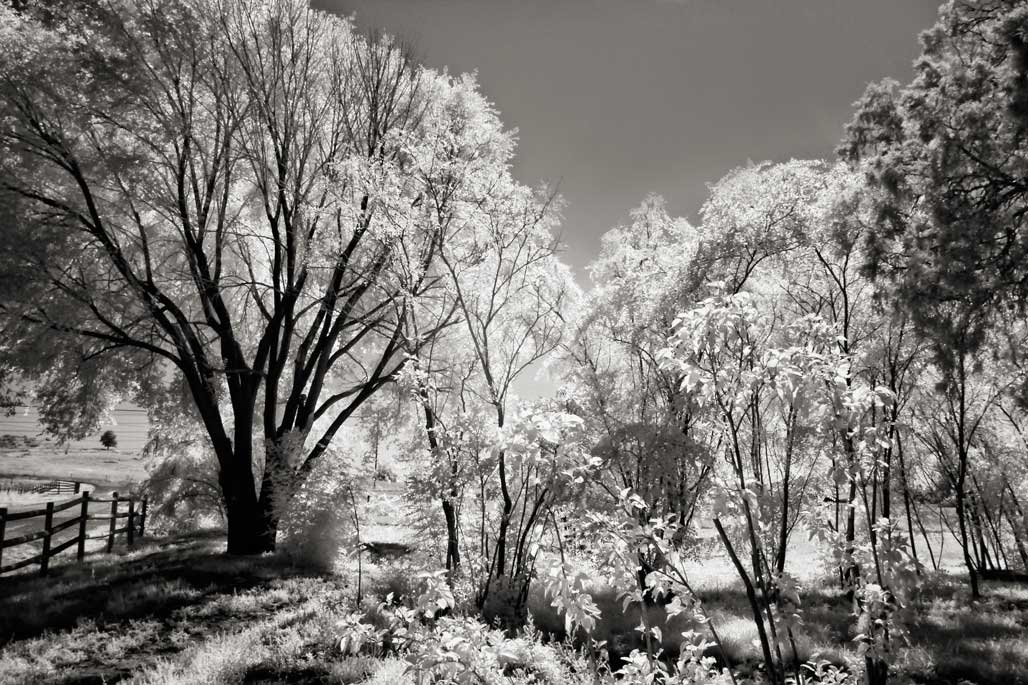 How I made this photograph: I captured this image at Hidden Mesa Open Space in Douglas, County, Colorado. The camera used was a Panasonic Lumix G5 that was converted to infrared capture by LifePixel using their Standard IR (720nm) Filter. The lens was a borrowed Leica M-Mount Voigtlander Super Wide-Heliar 15mm f/4.5 Aspherical III that was attached to the camera using the inexpensive ($24.95) Fotodiox M-M43 adapter. The aperture preferred exposure was 1/320 sec at f/16 and ISO 400. The RAW was processed in Silver Efex, where you can also add toning effects while processing the image file. Want more dramatic colors? You can also add hand-coloring effects using Photoshop’s layers feature; click here to see a tutorial.
Tip: Like all tweaks the more color you start with the more color you end up with. David Burren created a Photoshop Action (click to download) that was used for the below image and is an easy way to add color to IR files. The action applies all its changes via adjustment layers, allowing you to undo or tweak each of the changes.
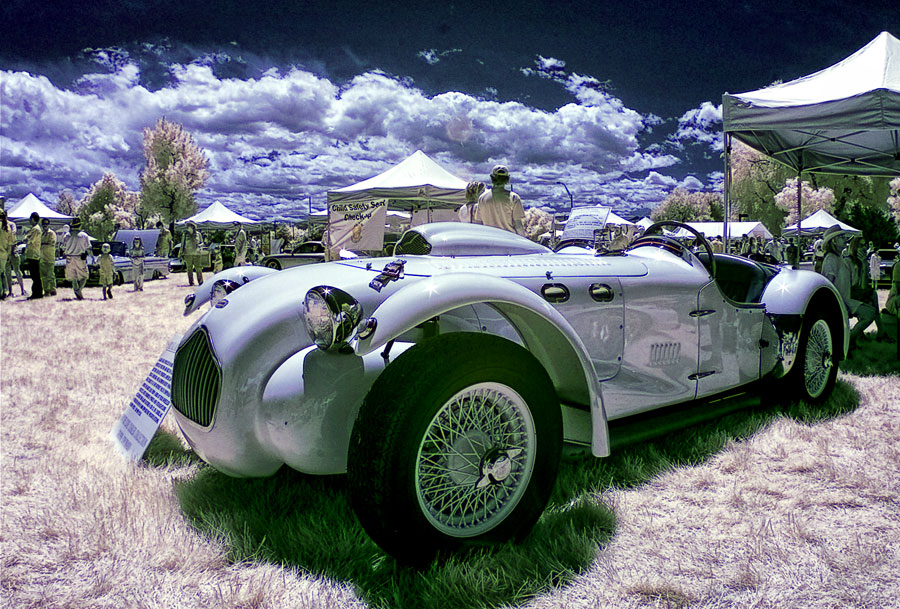 How I made this photograph: The classic Allard sports car was photographed at a car show in Denver using a Canon EOS D50 that was modified by Life Pixel using their Standard IR (720nm) Filter and a manual focus 16mm Zenitar f/2.8 fish-eye lens that was set at its hyperfocal distance. Exposure in Aperture Priority mode, was 1/160 sec and f/16 at 200. The JPEG file, created before my current RAW+JPEG regimen had the previously mention David Burren’ Photoshop Action applied before being ever so slightly tweaked using Vivenza.
 I’ve found that Life Pixel does a great job with IR conversions and they’ve done most of the conversions for some of my Canon DSLRs and all of my Panasonic Lumix G-series cameras. This is not a paid or sponsored endorsement, just my experience.
My book, The Complete Guide to Digital Infrared Photography is available from Amazon with new copies available for $8.35 and used copies selling for around four bucks as I write this. Creative Digital Monochrome Effects has a chapter on IR photography and is available from Amazon new for $8.88 with used copies starting around four bucks.