
Recently, my wife and I were having lunch and I mentioned that I was having trouble coming up with a new theme for Tuesday’s posts and she suggested “Tricky Tuesday” to share some different tricks, tips and techniques I’ve used over the years when shooting portrait and glamour images. Today features the amazing Pam Simpson doing her best, pouty Brigitte Bardot impersonation.
Today’s Post by Joe Farace
“To see in color is a delight for the eye but to see in black and white is a delight for the soul” – Andri Cauldwell
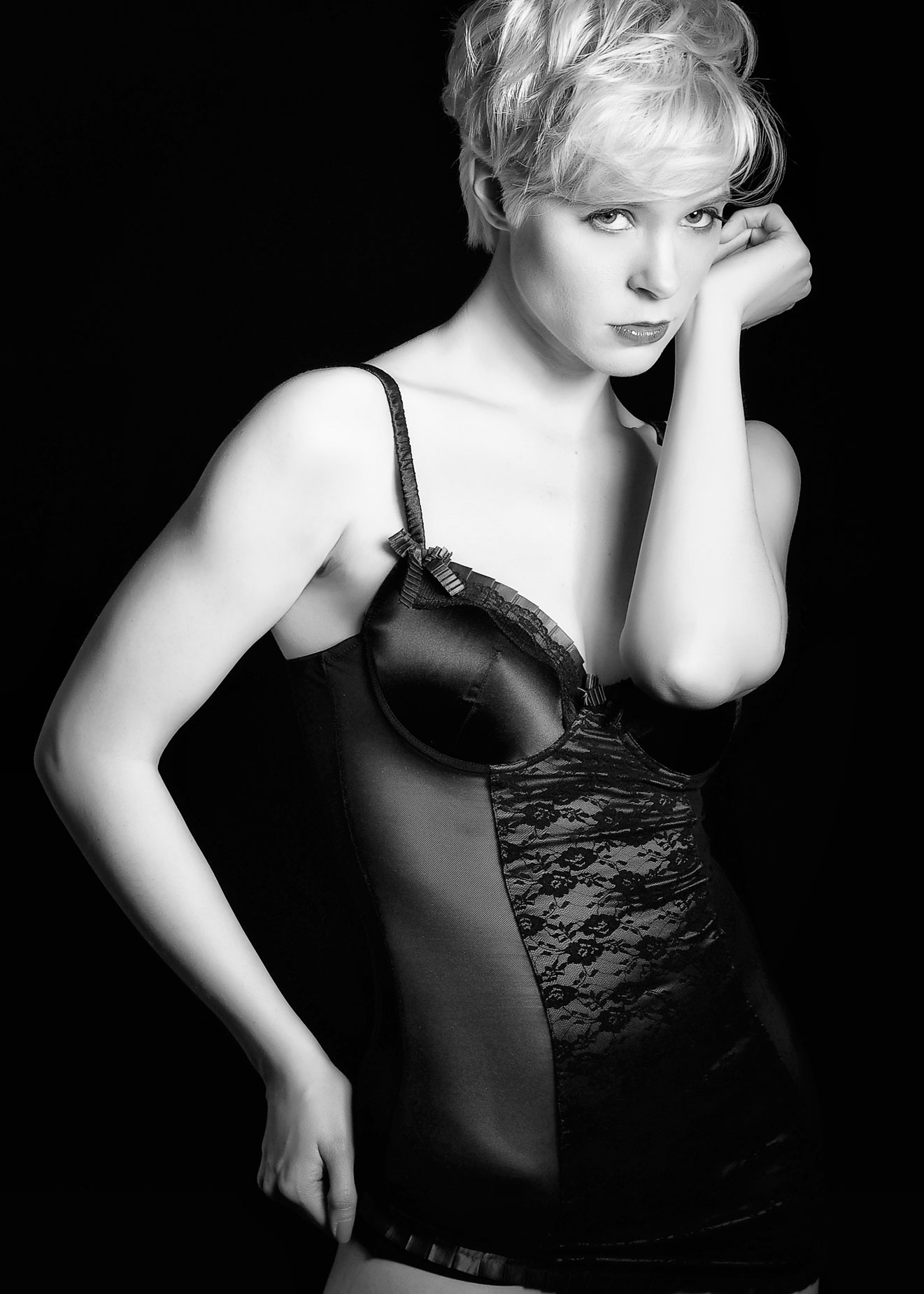 I like to think that there’s more to black and white photography than just an absence of color. It even extends to what some people call this way of capturing images: As a creative medium, some photographic purists call it “monochrome” while digital imagers may use “grayscale” but to paraphrase Billy Joel, “it’s still black and white to me.”
Black and white is a wonderful media for making boudoir or intimate portraits because the lack of color immediately simplifies the image, causing the viewer to focus on the real subject of the portrait—the person’s face—instead of their clothing or surroundings. And sometimes the nature of the portrait subject demands the image be made in black and white.
There are also trendy aspects associated with creating images in black and white. TV, movies and fashion magazines periodically rediscover black and white as a way to present images that look different from what’s currently trendy. Right now, some portrait and boudoir photographers tell me they’re seeing a higher than normal demand for monochrome images than was previously was the case.
How I made this portrait
I photographed the indomitable Pam Simpson in my home studio with an entry level Olympus E-M10 Mark I and an Olympus M.45mm f/1.8 lens. Lighting was from a Paul C Buff DigiBee DB800 with a Plume Wafer soft box attached. The background was Savage’s Black Infinity vinyl backdrop. Exposure was 1/125 sec at f/4.5 and ISO 200.
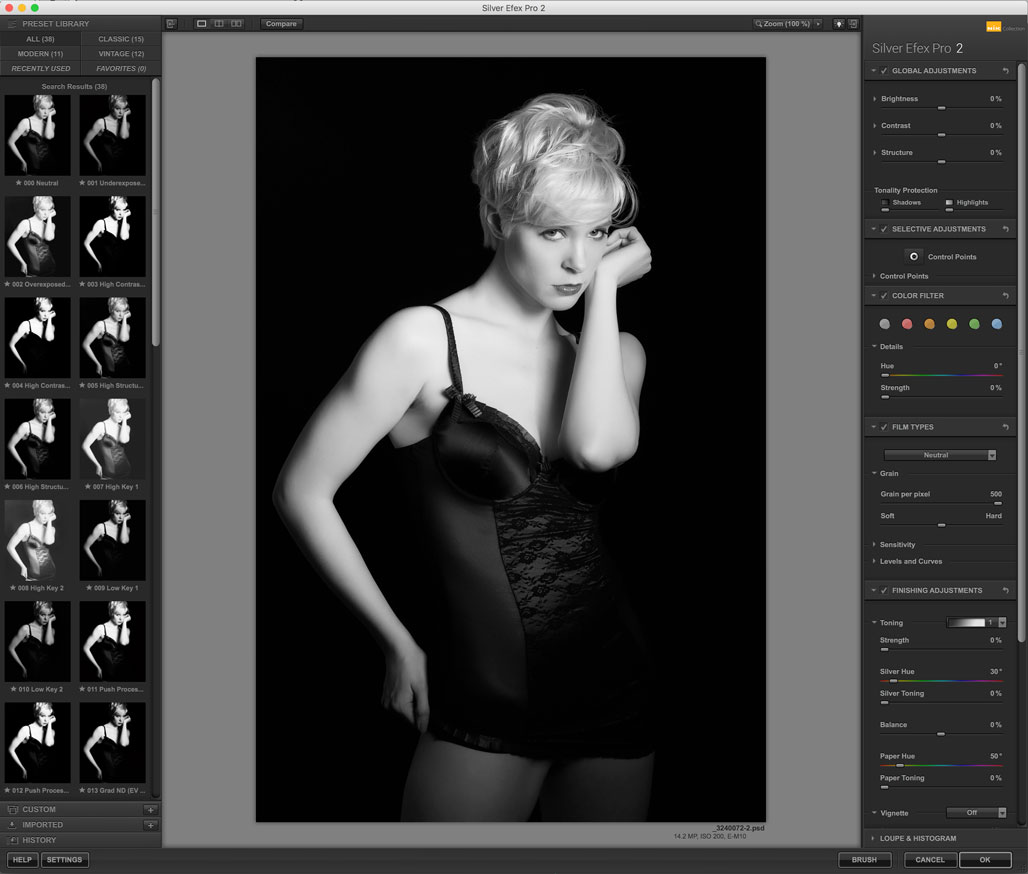 When making what would ultimately become monochrome images in the studio, I like to shoot the original image with the camera in monochrome mode while using the camera’s RAW+JPEG option. This gives me two files: one color and one monochrome that I use to show the subject approximately what the final image will look like. Because there are so many more tones in the color (RAW) file it’s easier to use that file for retouching and further processing. After retouching and selective dodging, I used Silver Pro to convert the final image to black & white with some light tweaking in Vivenza.
Note for my Patreon Subscribers. After looking at all of the images I made in this series with Pam, I realized I could produce a post for one of my uncensored Password Protected posts using other images from this session. If you are interested in seeing some of these photographs, click CONTACT and let me know. If you are not currently a Patreon subscriber—it’s surprisingly inexpensive—details on how to sign up can be found here.