
Image sharpness is a concern for most photographer’s but let me tell you a story to put it all in context: Several years ago a famous glamour photographer showed me one of his portraits and said “look at how sharp her eyelashes are!” Yes, her eyelashes were indeed sharp but her eyes said, “the lights are on but nobody’s home.” Take from that what you will…
Today’s Post by Joe Farace
“If the point is sharp, and the arrow is swift, it can pierce through the dust no matter how thick.”—Bob Dylan
Several years ago when I replaced my previous computer with a 5K iMac, the experience changed the way that I view and work with many of my older images. It seemed some of the photographs shot with my older, lower resolution digital cameras when originally viewed on older, softer CRT monitors didn’t compare with how they looked today on higher resolution, crisp and contrasty LCD screens.
This computer with its 5120‑by‑2880 screen resolution, support for one billion colors and 500 nits of brightness somewhat changed my workflow. When looking at photographs on the screen I was confronted with two different scenarios: First, I was surprised to see how some of the images that appeared acceptably sharp on a CRT monitor looked unacceptably soft. Secondly, some of my sharper images literally leaped off the screen.
Is it Sharp or Acceptably Sharp?
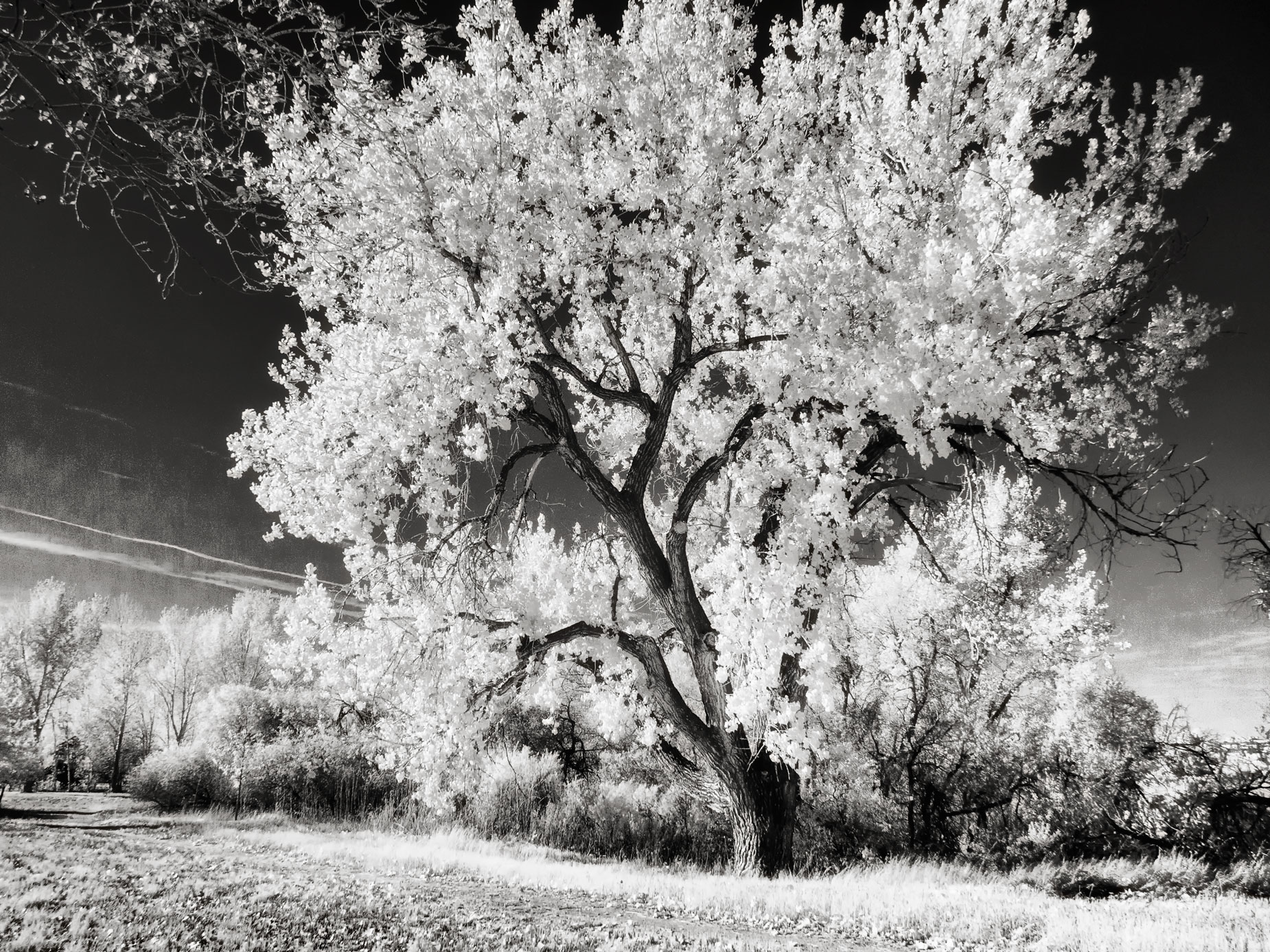
Let’s talk about focusing: When shooting infrared images like the above using manual focus lenses, I tend to use Hyperfocal focusing. The Hyperfocal Distance is a specific point of focus where any object that’s between that distance and infinity is in focus. Some lenses have an aperture ring but these are a gradually disappearing in many DSLRs and mirrorless cameras. By contrast, most vintage and some modern manual focus lenses have a depth-of-field scale, which can be helpful when using hyperfocal focusing.
One of the basic laws of imaging states that only one part of a three-dimensional object can be in focus at the image plane at one time. This means that the space in front of and behind the focus plane still appears more or less in focus or is in acceptable focus. That is, my friend, what depth-of-field is all about.
At the point of critical focus, there is a range of acceptable focus that lies one-third in front of that point and two-thirds behind it. Depth-of-field is an area of focus that your eyes perceive as being in focus and is affected by several things. Depth-of-field increases as the lens aperture is stopped down and decreases as the aperture opens wider. It also changes as the camera-to-subject distance decreases and vice-versa as the distance increases. 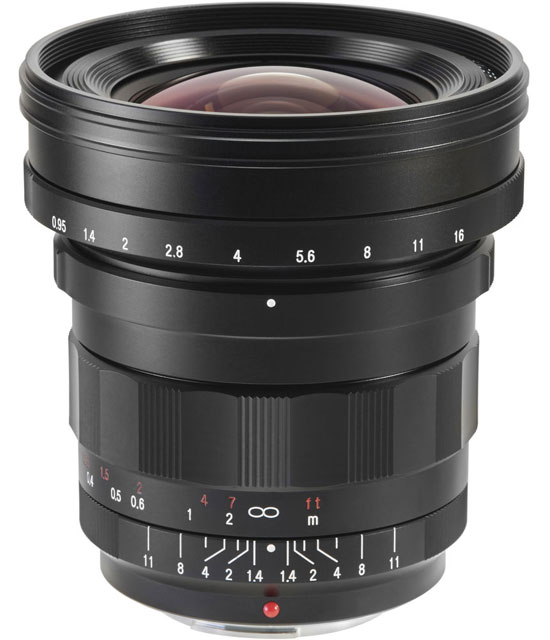
How I made this photograph: Here’s how it works with manual focusing lenses like Voigtlander’s Nokton 10.5mm f/0.95 lens that was used to make the above photograph: You select an aperture on the lens, then rotate the focusing ring setting so the aperture appears opposite the infinity mark on the right-hand side of lens’s depth-of-field scale.
For the above image of my favorite tree in McCabe Meadows, the camera used was a Panasonic Lumix G6 that was converted by Life Pixel with their Enhanced IR filter (665 nanometers.) The exposure was 1/500 sec at f/16 and ISO 400. The captured RAW file was converted to monochrome using Silver Efex’s Full Dynamic (harsh) preset and was topped of with a layer of the Glamour Glow filter from Color Efex, with the Glow Warmth slider pushed a little to the right to give the image a warm, woody glow..
 Life Pixel does a great job with IR conversions and they have done some the conversions for my Canon DSLRs and all of my Panasonic Lumix cameras. This is not a paid or sponsored endorsement, just my experience.
New copies of my book, The Complete Guide to Digital Infrared Photography are available from Amazon for $45 with used copies starting around $13 bucks as I write this. My book Creative Digital Monochrome Effects has a chapter on IR photography and is available new from Amazon for $11.46 with used copies starting around eight bucks, again as I write this.