
Today’s Post by Joe Farace
“Black and white photography erases time from the equation.” – Jason Peterson
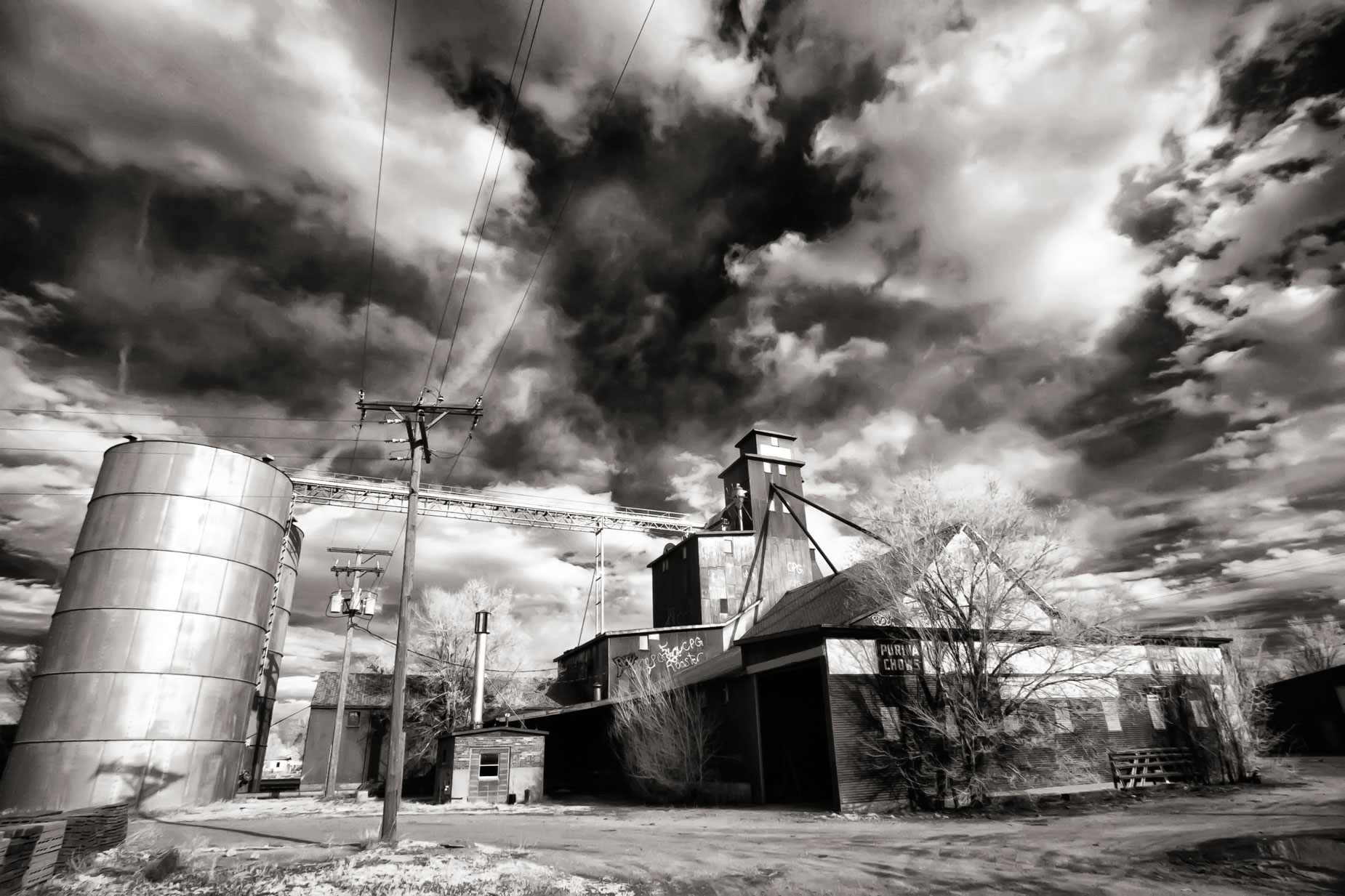
 If you read this blog on a regular basis you know that I strongly believe that great photo ops are available in your own backyard. For instance…
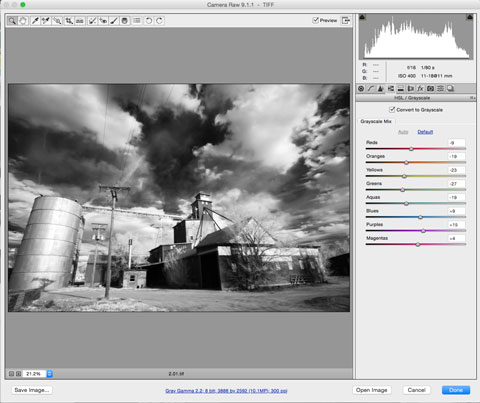
I made the infrared photograph at right just two miles from my former home late one Sunday, not the best time for infrared photography.The RAW file was converted into black and white using Adobe Camera RAW that’s built into Photoshop. I’m still using CS6 because…
How I made this photograph: The camera used was a Canon EOS Digital Rebel Xti that had been converted for infrared capture by LifePixel using their Standard IR (720nm) filter. The lens used was Tamron’s AF 11-18mm f/4.5-5.6 Di-II (at 11mm) with an exposure of 1/80 sec at f/16 and ISO 400 with a plus two stops exposure compensation. Platinum toning applied via PhotoKit 2.
Back to Basics
Digital cameras let you capture images in different kinds of file formats. The most common format is JPEG (Joint Photographic Experts Group) and some cameras also let you to capture images in the TIFF (Tagged Image File) format, something Barry Staver and I discussed on our last podcast. Most cameras also let you capture images in some version of a RAW, although each camera manufacturer has their own flavor. Leica and, I think, some Pentax models use the portable DNG* (Digital Negative) file as their standard RAW format and using this format can save your from making some kind of conversion later. For more on this subject, read Cooking in the JPEG Kitchen: Cookies and Cakes by Barry Staver and myself that takes a whimsical but also practical look at the differences between all of these formats.
JPEG is the name of a standard for image compression. The degree of compression can be sometimes adjusted, allowing a tradeoff between file size and image quality. A typical JPEG file achieves 10:1 compression by discarding colors that may not be visible to your eye and how well the format accomplishes this process ultimately determines ultimate image quality.
Using compression enables devices to capture and store (more or less) the same amount of data using fewer bits The highest image quality option is no compression and that’s part of TIFF and most RAW formats. All of these file formats produce excellent results and when faced with difficult lighting situations, the unprocessed data contained in a RAW file can be helpful but the small size of the JPEG file is faster and easier to deal with in-camera and maybe with your computer, depending on its age and specifications. TIFF files combine some of the advantages of both JPEG and RAW formats but the files are usually larger that these other two.
When working with RAW files you can achieve the results you want with greater control and flexibility while maintaining the structural integrity of the original file. Most versions of Adobe Camera RAW contains monochrome conversion options as part of its gateway for converting different RAW formats but later versions of the software will also recognize JPEG and TIFF files.
It’s Your Choice
You get to decide which image file format works best for your own personal shooting style and workflow. If you want to shoot quickly and spend less time in front of the computer, JPEG may be the best choice. If you loved working in the traditional darkroom, you might consider working with RAW because the process is as close as you’re gonna find to a digital continuation of working in a traditional, wet darkroom. I especially like working with RAW files from older cameras or with my IR-converted Micro Four-thirds mirrorless cameras to squeeze the maximum quality from the compact 18 x 13.5 mm sensor.
But like everything else on this blog, there is “no my way or the highway.” You can shoot any or all of these file formats depending on the situation, camera used and subject matter. As always, you’re in charge.
*The lack of compression is also a feature of Adobe’s DNG (Digital Negative) file format that some cameras shoot as their native RAW format. You can download a free copy of Adobe DNG Converter to convert different camera’s RAW formats into DNG,
 I’ve found that Life Pixel does a great job with IR conversions and they’ve done some of the conversions for my Canon DSLRs and all of my Panasonic Lumix G-series cameras. This is not a paid or sponsored endorsement, just my experience.
Used copies of my book, The Complete Guide to Digital Infrared Photography are available from Amazon starting around nine bucks as I write this. My book Creative Digital Monochrome Effects has a chapter on IR photography and is available new from Amazon for $11.46 with used copies starting around six bucks as I write this.