
Today’s Post by Joe Farace
“You don’t make a photograph just with a camera. You bring to the act of photography all the pictures you have seen, the books you have read, the music you have heard, the people you have loved.” ―
 One of the more important of Farace’s Laws is that all special effects are subject dependent.
Capturing digital infrared images with a filter or a camera that’s been converted for IR capture can be lots of fun but what about that existing library of film and digital images you already have? With just a Photoshop-compatible pug-in many of those photographs could be turned into would infrared shots.
Faux Infrared
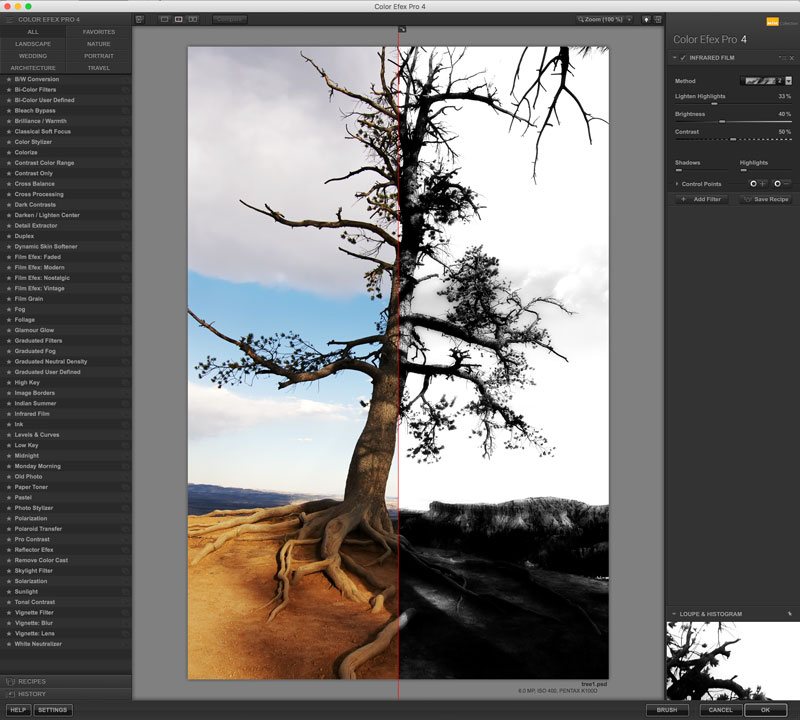
 Here’s are a few ways to convert non-infrared images into what might be called faux infrared.
My favorite software tool for creating faux infrared effects is Color Efex. Their Infrared Film filters emulate several different methods for capturing the Infrared portion of the electromagnetic spectrum.
The filter has four black and white and five infrared color presets with sliders that let you to tweak them to suit the kind of image you’re trying to recreate or create. Silver Efex previously offered two infrared emulations —Normal and Soft—but these options seemingly deleted in the initial DxO version of the plug-in. Don’t know about the latest one, because my OS can’t run it. Anybody out there have experience with it? Click Contact and let me know, thanks.
 How I made the reference shot: The (above right) color reference image was made at Bryce Canyon using a Pentax K100D and smc DA 12-24mm f/4.0 ED AL (IF) lens. The exposure was 1/500 sec at f/8 and ISO 400 with a plus one stop exposure compensation.
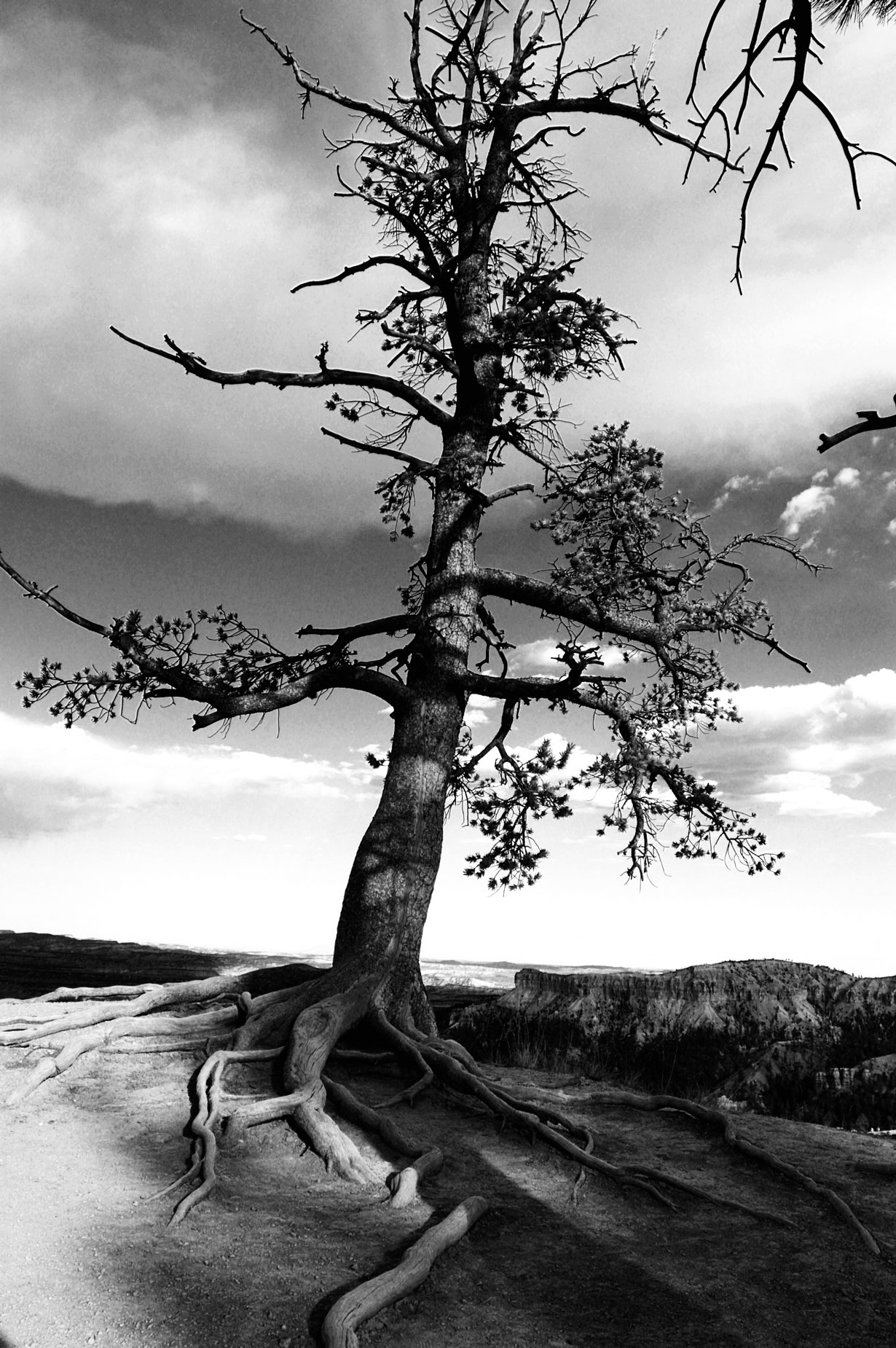
The presets in Color Efex’s Infrared Film filter emulate conventional infrared black and white film and can be used to create landscape image with dark skies, bright white clouds, and glowing white vegetation—if there’s any of those elements in the original shot. See the quote at the top of this post.
The interface offers four different choices for monochrome effect in a pop-up menu and first one created the effect (at left) I liked best. But I suggest that you try them all before clicking OK.
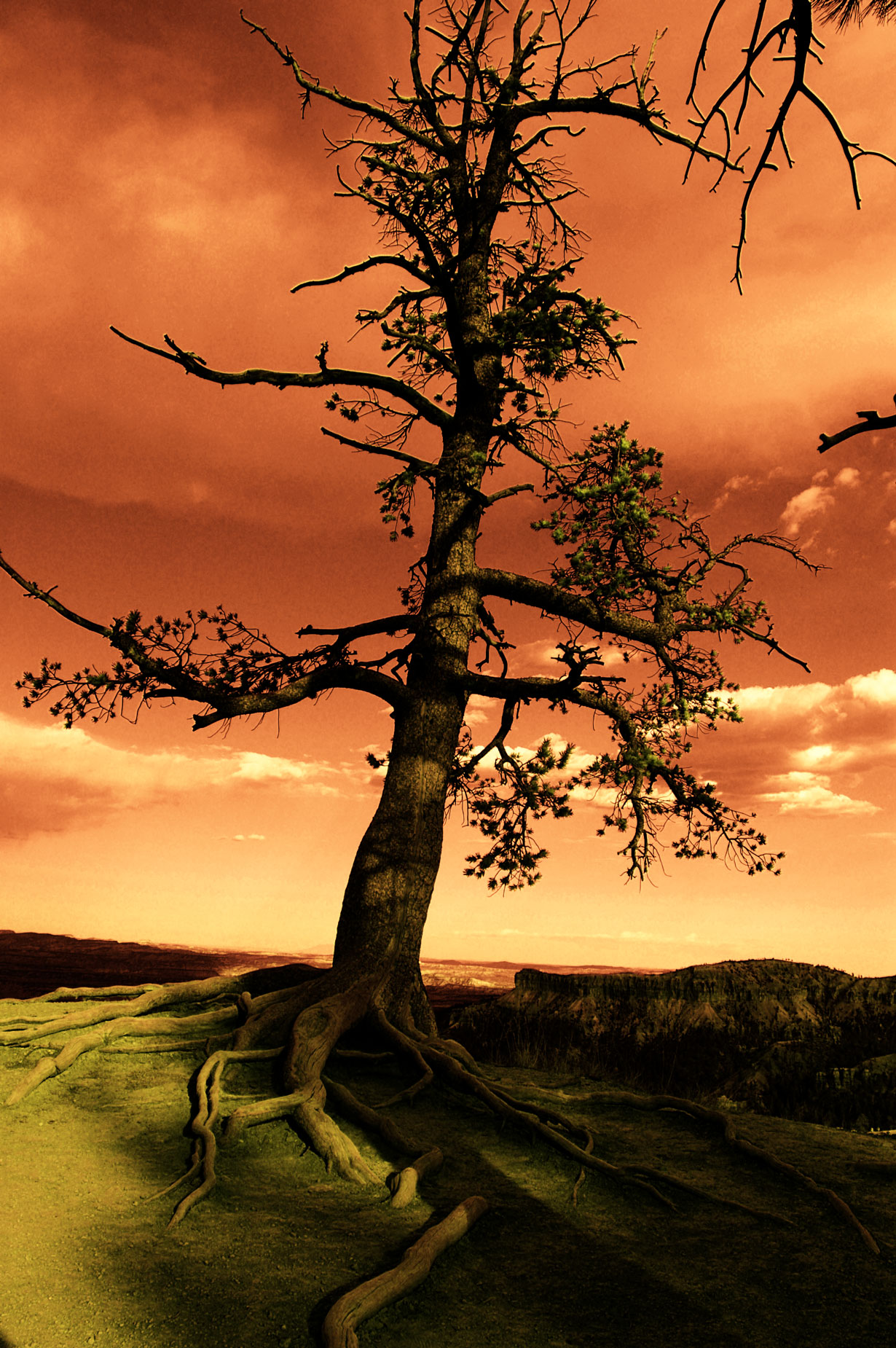
The Infrared Film plug-in will imitate infrared color film producing colorful images with interesting color shifts and includes menu with five different presets. Based on my prior experience with shooting Kodak’s Ektachrome Professional Infrared (EIR) 35mm aka Aerochrome back in the day, the image at right produced the most realistic result.
 I’ve found that Life Pixel does a great job with IR conversions and they’ve done some of the conversions for my Canon DSLRs and all of my Panasonic Lumix G-series cameras. This is not a paid or sponsored endorsement, just my experience.
Used copies of my book, The Complete Guide to Digital Infrared Photography are available from Amazon starting around nine bucks as I write this. My book Creative Digital Monochrome Effects has a chapter on IR photography and is available new from Amazon for $11.46 with used copies starting around six bucks as I write this.