
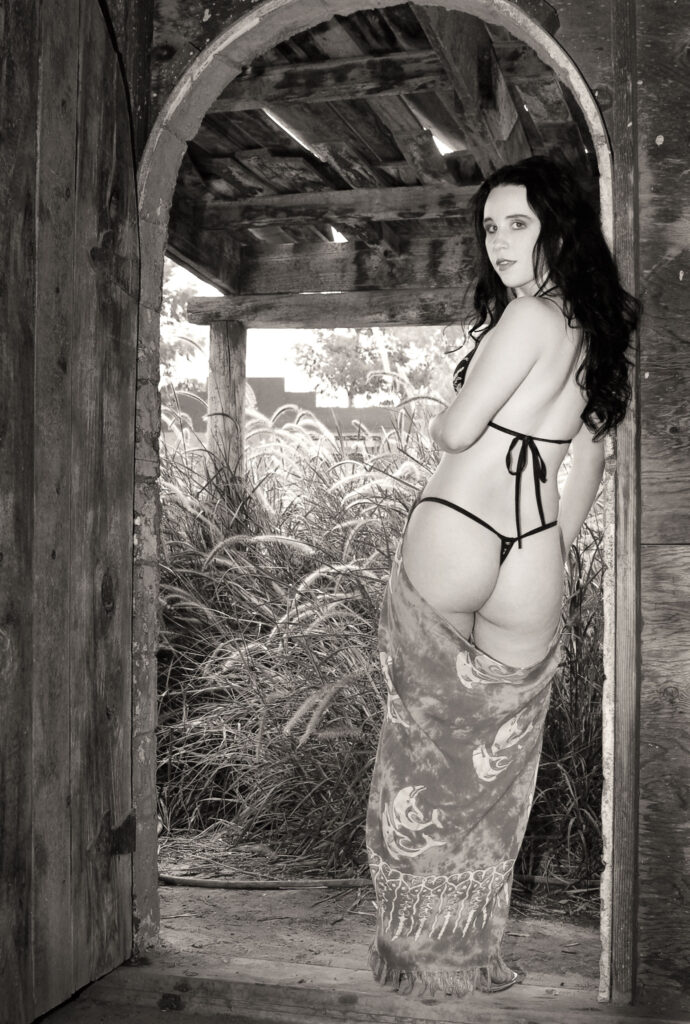
This Sunday’s Available Light Portraiture theme takes a different turn. It was made during a group model shoot and contrasts the same image as captured in color vs. a monochrome interpretation and your opinion on which one you like best is invited. Today’s portrait is of Jez, a sweet young model that I photographed in Phoenix on a movie set.
Today’s Post by Joe Farace
“We do not make photographs with our cameras. We make them with our minds, with our hearts, with our ideas.” — Arnold Newman.
 As hard as it may be for some readers to believe, Arnold Newman and I had the same mentor during the early days of our careers. The time gap between those two occurrences were such that when it was my turn, our mentor was late in his life. Nevertheless, I learned a lot from both him and his son that I think about every day, especially when photographing people. All of which brings me to…
Black & White or Color?
Black and white can be a wonderful media for making portraits because the lack of color simplifies the image, causing you to focus on the real subject of the photograph instead of their clothing or surroundings. Sometimes the nature of a portrait subject demands that an image be photographed in black and white. Arnold Newman’s portrait of composer Igor Stravinsky at the piano, for example, could never have been made in color and have the same impact it has as a monochrome image. That may be obvious to you, but what about my own photographs?
One advantage of creating digital monochrome photographs is the source image can come from many sources. Most DSLR and mirrorless cameras have black and white or sepia modes allowing you to capture images directly in monochrome but they capture these files in RGB additive color mode, so you end up with a monochrome image that is an RGB file. It is called “additive” because the file produces colors by adding red, green, and blue light together in various intensities to produce a wide spectrum of colors including monochrome. The alternative and what I did with these photographs is to shoot the original image in color and convert it to monochrome later. I wish I had also shot this portrait in RAW but it was made was before my current RAW+JPEG regimen. I know better now.
As a creative medium, traditionalists may still call it “monochrome” and digital imagers may prefer the more computerese “grayscale,” but, to paraphrase Billy Joel, one of my musical heroes, “it’s still black and white to me.”
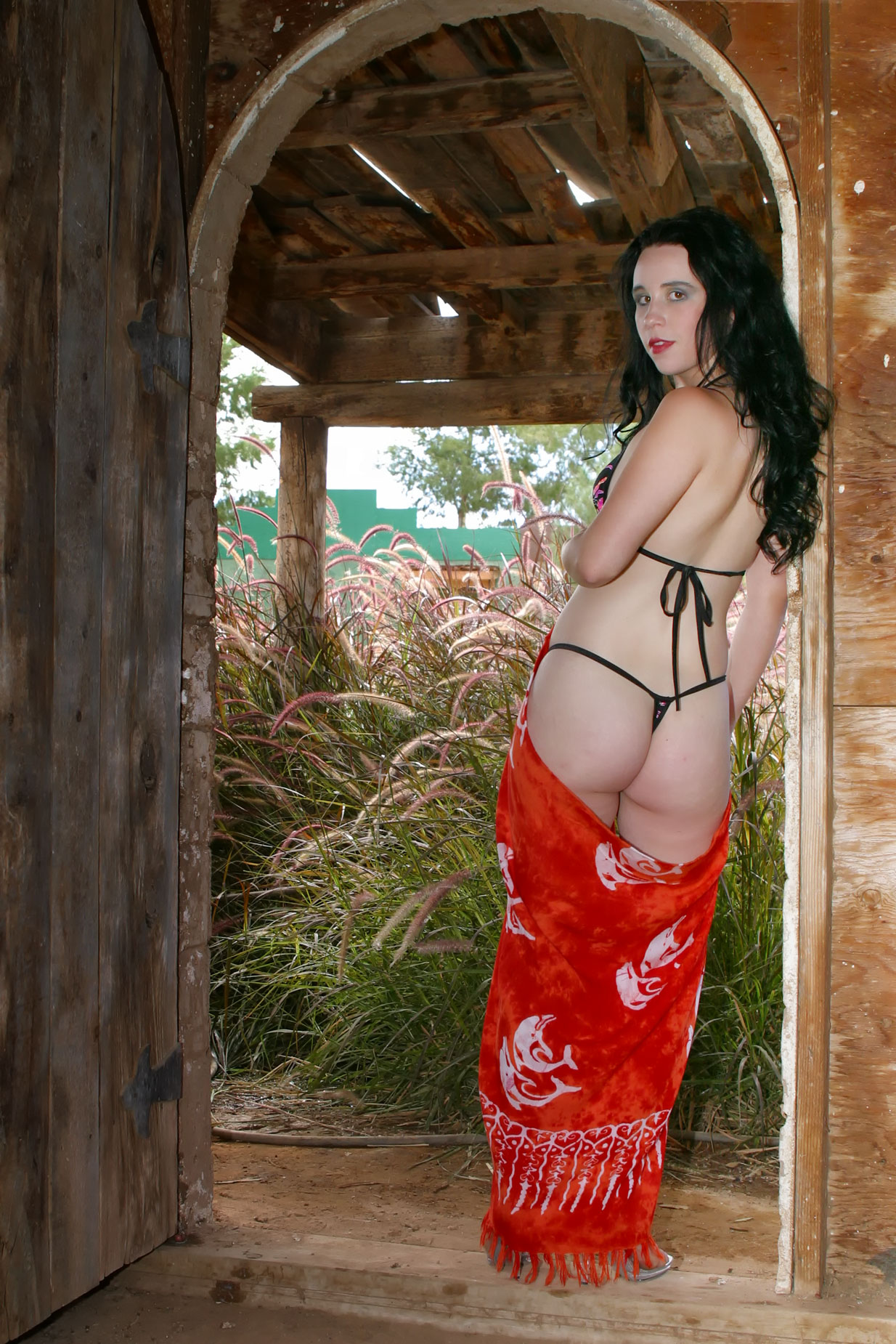 How I Made this portrait: Typically in these kinds of posts, I talk about the color portrait and show a version of it in color in the upper right-hand part of the post with the monochrome version larger and at left. You can see that approach in this past Film Friday’s post, Shooting Available Light Portraits with Film. Today I’m reversing the process. Why? In looking at the original JPEG files of Jez in Adobe Bridge I liked the color version better. Again, why? I think there are two reasons: I liked the red in the whatever she was wearing (and dropped) being so red, especially when contrasted with the subtle color tones of the foliage in the background. You may like the monochrome version better and if you do, let me know. The best response (or responses) will win a small prize.
This portrait of Jez was made during a group model shoot in Arizona while she was posing inside an old building with natural light outdoors. It was originally shot in color (at left) using a Canon EOS D60 and an EF 28-105mm f/4-5.6 lens at 28mm with an exposure of 1/200 sec at f/7.1 and ISO 400. The sync speed for this camera is 1/200 sec; for a 60D it’s 1/250 sec. A Canon 420EX speedlite with Sto-fen Omni Bounce diffuser was used to soften the effect of the flash and balance the light on the subject with the outdoors. Without the flash, she would have been in silhouette,
The color image was converted to black and white (above right) using Silver Efex’s Photoshop-compatible monochrome conversion plug-in and has more of a gritty look, minimizes some of the clutter, and puts the focus on the subject. Here the Dark Sepia preset was used to create a warm black and white effect similar to what Agfa’s Portriga paper ,ight have produced back in the wet darkroom days.
 If you enjoyed today’s post and would like to support this blog, you can help by joining my Patreon, where memberships start at just $1.25 a month, with additional levels of support at $2.50 and $5 that include special benefits. If you do, I would like to thank you for your support.
If you’re interested in learning how I use cameras, lenses and lighting in my in-home studio and on location, please pick up a copy of Studio Lighting Anywhere which is available used from Amazon.com for less than ten bucks, as I write this. The Kindle version is $19.99 for those preferring a digital format.